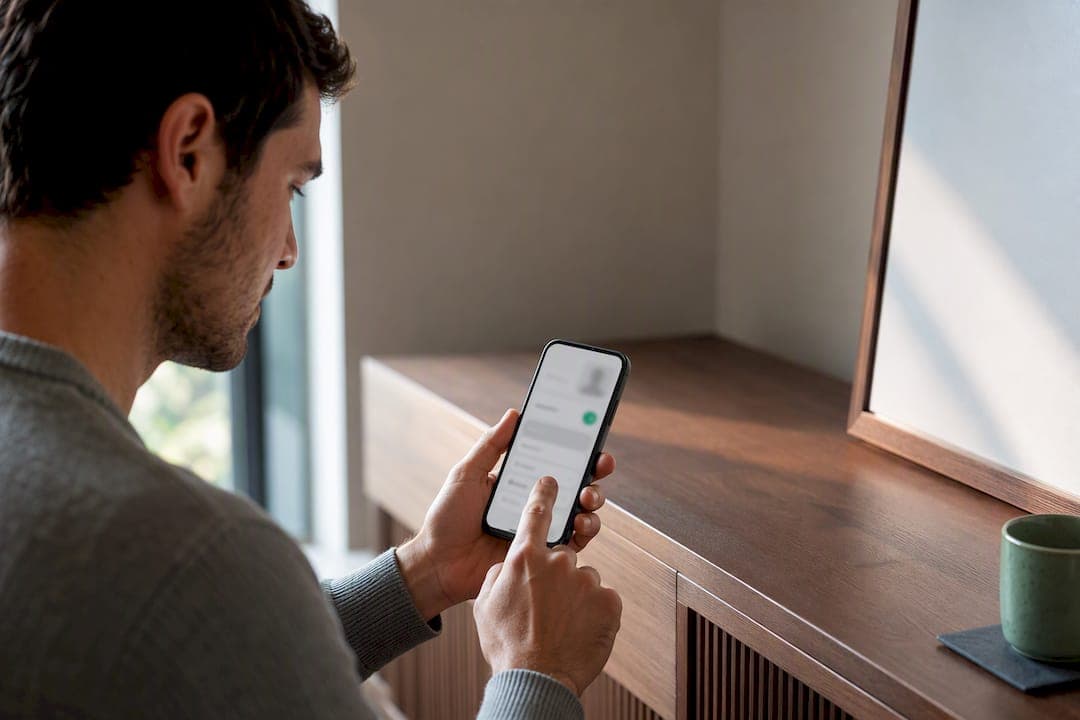
Boosted listings buy extra placement in search and feed results so your best-converting, margin-friendly items get seen faster. The right move is to optimize the listing first, run a short paid boost with a defined budget, then measure cost-per-sale before you spend again. Boosting works best on items with real margin, in crowded categories, or when you need a sale on a deadline.
TL;DR:
- Boosted listings are most effective on items with strong margins, properly optimized listings, and in crowded categories where faster visibility leads to better sales.
- Prioritize fixing the listing with clear titles, high-quality photos, and competitive pricing before launching a boost to ensure pay-to-promote efforts convert.
- Running short, targeted boosts with a defined budget allows better measurement of cost-per-sale and helps avoid wasting money on underperforming ads.
- Boosting costs should be a small fraction of profit, especially on higher-margin items, to avoid eroding returns and ensure the campaign remains profitable.
- Monitoring key metrics like views, messages, and conversion rates during the boost helps identify underperforming campaigns quickly and adjust or pause accordingly.
Table of Contents
- How to launch and manage a boosted listing
- What boosted listings cost and how the math works
- Get the listing right before you pay to promote it
- Tracking a boost while it runs and after it ends
- Common boosting mistakes that waste money
- Where boosting fits into a bigger selling process
- How MarketplaceAnywhere supports a smarter boost strategy
- Sources
- FAQ
How to launch and manage a boosted listing
Before you spend a dollar, get the listing itself ready. A boosted photo of a poorly described item just gets more people to ignore it faster.
- Confirm the title includes the brand, model, size, or key search terms a buyer would type.
- Check that all category attributes and fields are filled in completely, since incomplete listings rank lower on relevance signals (marketplace SEO guidance).
- Verify the price is competitive for the condition and category before you pay to promote it.
- Open the app's boost or promote controls, usually found on the listing page itself or in a seller dashboard.
- Set a budget and duration. Short windows of 3 to 5 days are easier to read than open-ended boosts.
- Choose an audience radius or targeting option if the platform offers one, narrowing to buyers likely to convert rather than the widest possible reach.
- Launch the boost and note the start time and budget for your own tracking.
Your defaults should shift with your goal. If you need a quick sale, use a shorter duration and a slightly higher daily budget to front-load visibility. If you are testing whether a category or price point performs, run a longer, lower-budget boost and watch the data instead of the clock.
Every platform lets you pause, edit, or end a boost mid-run. Pausing stops new spend without deleting the campaign, so you can resume later. Editing usually lets you change budget or duration but not the listing content, meaning a bad photo stays bad until you end the boost, fix the listing, and relaunch. Ending a boost early stops charges immediately, which matters if the item sells organically before the boost period is up.
For platform-specific settings, our action plan for boosting listing visibility walks through the controls on several apps side by side.
What boosted listings cost and how the math works
Platforms charge for boosts in one of two main ways: a percent-of-sale fee taken only if the boosted listing sells, or a flat daily budget you pay regardless of outcome, similar to a pay-per-click model. Some help-center guidance notes that a boosting fee may only apply if a boosted view leads to a purchase within a set lookback window, often a matter of days after the boost ran.
Run the math before you commit:
- A $20 item with $8 profit and a 10% boosting fee costs $2, leaving $6 profit, which is fine if the boost meaningfully speeds the sale.
- A $200 item with $30 profit and the same 10% fee costs $20, leaving just $10, which may not be worth the spend unless speed matters more than margin.
A well-optimized listing converts on relevance and performance signals before it ever needs paid reach. (Marketplace SEO) The rule of thumb: boost when the fee is a small fraction of your margin, not when it eats most of it.
Get the listing right before you pay to promote it
A boost amplifies whatever the listing already is. If the listing is weak, you are paying to show more people something that will not convert. Fix these things first.
- Title: lead with brand, model, and size, since these are the terms buyers actually search.
- Photos: shoot the main image in bright, even light against a plain background, straight on, so the item reads clearly as a thumbnail.
- Price: compare against three similar active listings and set yours in that range, not above it.
- Shipping and pickup terms: state them clearly in the description to cut down on repetitive buyer questions.
Pro Tip: Test one variable at a time, swap only the main photo or only the price during a short boost, so you know exactly what moved the needle.
This single-variable approach mirrors the testing method recommended for Facebook Marketplace boosts: short duration, one change, and a comparison against how the listing performed before. For more on writing titles that hold up to this kind of testing, see our guide on mobile-first listing titles. Our listing description guide covers the attribute and detail fields that feed directly into how listings rank.
Tracking a boost while it runs and after it ends
Watch a small set of numbers rather than trying to track everything the dashboard offers.
- Boosted views and clicks, the raw reach the boost bought you.
- Messages started, which shows whether views are turning into buyer interest.
- Conversion rate, messages or clicks that turn into an actual sale.
- Cost-per-sale, total boost spend divided by sales it produced.
Set up a simple control by comparing the listing's performance in the days before the boost to the days during it, or by boosting one of two similar items and leaving the other alone. Post-boost stats commonly include total views and clicks along with the percentage uplift over the organic baseline, which is the clearest signal of whether the spend did anything. If clicks rose but messages did not, the listing itself is the problem, not the reach. Log results daily with a one-line note: date, budget spent, views, messages, and whether it sold. That log becomes the evidence for whether to scale a boost, adjust it, or stop.
Common boosting mistakes that waste money
Boosting a listing with a blurry photo or vague title just pays for more people to scroll past it. Fix the listing before you fund its reach.
- Boosting low-margin items where the fee eats most or all of the profit.
- Boosting every listing automatically instead of prioritizing the ones with real margin or proven interest.
- Ignoring buyer messages during a boost, which wastes the exact attention you paid for.
- Letting a boost run its full duration when early data already shows it underperforming.
If a boost underdelivers, improve the main photo, adjust the price, or pause it and reassess rather than letting the budget drain on autopilot.
Where boosting fits into a bigger selling process

Boosting is a temporary amplifier, not a substitute for a good listing. Its best use is speeding up a sale on an item that is already priced right, photographed well, and described clearly. Reserve it for inventory that needs to move fast or has enough margin to absorb the fee comfortably.
Pair it with other tactics rather than leaning on it alone: seasonal timing, cross-listing across platforms, or a quick social post can move an item without any spend at all. Sellers who treat boosting as one tool among several tend to spend less overall and convert better when they do spend, because the boost is doing its actual job: buying speed, not fixing a weak listing.
— Marketplace
How MarketplaceAnywhere supports a smarter boost strategy
Running a boosted listings strategy is easier when the platform gives you the controls and the data in one place instead of guesswork. Some marketplace platforms build boosted listings features into the core selling experience, offering controls for budget, duration, and targeting directly within listings. They may include built-in analytics to track views, clicks, and messages, enabling sellers to measure cost-per-sale more easily. Features like push notifications and instant chat can help sellers answer buyer messages promptly during a boost, improving conversion chances. Verified seller ratings and secure payments can also support boosted listings to convert more effectively once they gain extra attention.
If you are ready to put a boosted listings strategy into practice, browse how it works across categories like electronics, fashion, and home and garden at MarketplaceAnywhere.
FAQ
Is boosting listings on Depop a good idea?
Boosting can be worth it when the listing already has strong photos, an accurate title, and a fair price, since the boost only speeds up a sale that was already likely. It is a weaker choice on a low-margin item or a listing that has not been optimized, since the fee can erase the profit.
How much does it cost to boost a listing on Facebook?
Facebook Marketplace boosting costs vary by budget-based or percent-of-sale models depending on the campaign type, and platforms may only charge the boosting fee if a boosted view leads to a sale within a set lookback window. Check your app's current boost settings for the exact fee structure before launching.
What is a boosted listing?
A boosted listing is a paid placement that gives an item extra visibility in search results, feeds, or recommended pages beyond what it would get organically. It increases exposure, but it does not guarantee a sale unless the listing itself is priced and presented well.
What happens if my boosted item sells?
Most platforms end the boost automatically once the item sells, and any remaining unspent budget for that boost period typically is not charged. Some fee models only charge the boosting cost at the point of sale, so check your platform's specific rule before assuming the full budget was spent.