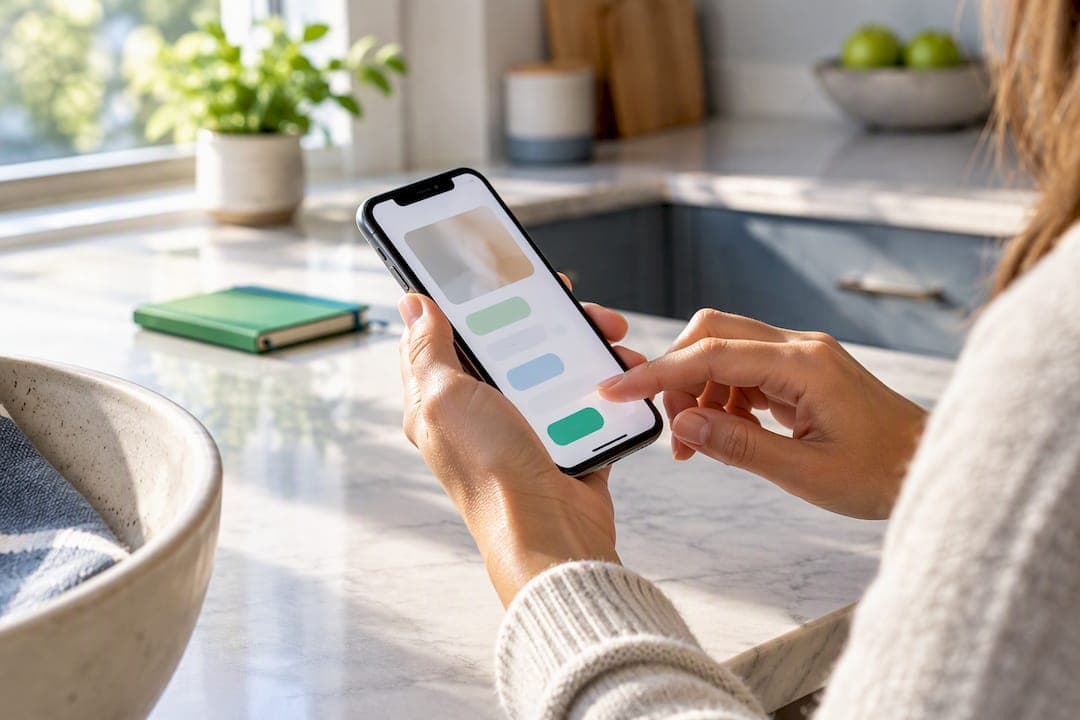
The fastest way to get more listing views is to combine a strong lead photo, launch-day activity in the first 48 to 72 hours, and a mobile-first title that front-loads your most searchable details. These three elements work together because marketplaces reward early engagement, and buyers decide whether to click within seconds of seeing your photo and title on a phone screen.
TL;DR:
- Listings with a strong lead photo, activity within the first 72 hours, and a mobile-first title significantly increase initial visibility and engagement.
- Shooting photos in daylight against a plain background and sequencing images to highlight the strongest angles and details boost click-through rates.
- Front-loading search-relevant details like brand, model, and size in the title for mobile viewers improves search performance and helps test and refine listing effectiveness.
- Using a limited-time discount or boost during the launch window can generate early interest and improve ranking, especially when combined with external sharing in targeted local groups.
- Maintaining good seller standing with quick responses, low cancellations, and clear policies enhances overall listing visibility and long-term success.
Table of Contents
- A step-by-step checklist to run before you hit publish
- Visuals that convert: photography, video, and photo order
- Title and keyword rules: mobile-first, front-load, test
- Pricing and promoted listings: when to discount, when to boost
- Launch-day momentum: how to generate early views, saves, and shares
- Seller performance and trust signals that affect visibility
- Promotion channels outside marketplace search
- A simple test-and-iterate framework to diagnose low views
- MarketplaceAnywhere perspective: habits that keep listings visible
- Try a peer-to-peer marketplace platform to list fast and reach local buyers
- Sources
- FAQ
A step-by-step checklist to run before you hit publish
Most sellers lose views before the listing even goes live, usually by skipping prep work that takes ten extra minutes. Work through these steps in order, since each one builds on the last.
- Shoot your photos first, in daylight, against a plain background, before you write a single word of copy.
- Write a mobile-first title that leads with brand, model, size, and condition.
- Set your price by checking three comparable active or sold listings in your category.
- Turn on any available promotion tool for the first 48 to 72 hours after posting.
- Share the listing to one targeted external channel, such as a local buy and sell group.
- Set up notifications so you can reply to questions within an hour during launch week.
Do steps one through three before you list. Do step four the moment you publish. Steps five and six matter most in the first three days, when marketplaces are deciding how often to surface your item in search and recommendations.
Visuals that convert: photography, video, and photo order
Photos are often the single most useful thing shoppers rely on when deciding whether to click, and how you sequence them matters as much as how you shoot them, according to research from the National Association of Realtors.
- Shoot in natural light against a neutral background so the item, not the clutter, gets attention.
- Use a full-item lead photo that shows the whole product in one clean frame.
- Add 3 to 5 close-ups that highlight texture, wear, brand marks, or unique features.
- Include one photo with a scale reference, like a hand or a common object, so buyers judge size accurately.
- Order photos so the strongest, most flattering angle appears first, followed by details that answer likely questions.
Listings with 3D virtual tours or short-form video get up to 49% more engagement than photo-only listings, according to realtor.com PRO. If your platform supports a short video or 360-degree view, use it, especially for items where condition or dimensions are hard to judge from a still photo.
Title and keyword rules: mobile-first, front-load, test
Most buyers browse on a phone, where only the first several words of a title show before truncation. That means the words you put first carry the most weight.
- Front-load brand, model, size, and condition, since those are the terms buyers actually search.
- Add the attribute most likely to differentiate your item, such as color or a specific edition.
- Cut filler words like "nice" or "great deal" that eat character space without adding search value.
- Include a UPC, model number, or other identifier when your platform allows it, since seller community discussions point to identifiers as a common way listings surface in broader shopping searches.
- Test one title variant for a few days, track views and clicks, then keep whichever version performs better before you commit long term.
Our guide to writing mobile-first listing titles walks through a testing structure for readers who want a template to copy.
Pricing and promoted listings: when to discount, when to boost
Price framing changes how often buyers click, not just whether they buy. A visible "was/now" markdown often draws more clicks than the same lower price listed permanently, because it signals urgency.
- Check three comparable listings before you set a price, then match or slightly undercut the most similar one.
- Use a limited time launch discount instead of a permanent low price when you want an early click bump.
- Turn on a promoted or boosted placement option for your first few days live, since visibility tools can improve placement and presentation at launch without requiring you to promote everywhere manually.
- Compare views during the boosted window against your typical unboosted views for a similar item to judge whether the spend added incremental traffic or just replaced clicks you would have gotten anyway.
Pro Tip: Screenshot your view count right before you turn on a paid boost, then compare it 48 hours later against a similar listing you didn't promote.
Launch-day momentum: how to generate early views, saves, and shares
The first 48 to 72 hours matter more than anything you do later, since early views, saves, and shares strongly influence whether a listing gains traction in feeds and recommendation algorithms.
- Post at a time when your target buyers are actually online, typically evenings or weekend mornings for local sellers.
- Share the listing once to a targeted external channel, like a relevant local group, rather than posting broadly everywhere.
- Encourage saves by mentioning in your description that the price may firm up once there's interest, which nudges undecided buyers to save rather than scroll past.
- Repost or refresh the listing if you see little activity after three days, since a stale listing with no engagement tends to keep sinking in search results.
Seller performance and trust signals that affect visibility
Your account history affects how often your listings get shown, not just how they look. Marketplace guidance indicates that account-level metrics like cancellations, slow replies, and negative ratings reduce inventory visibility, so a clean track record is part of your marketing, not separate from it.
- Track your response time, cancellation rate, return rate, and overall rating regularly.
- Save a short auto-reply template so you can answer common questions within the hour.
- Write a clear return or refund policy directly in your listing to reduce disputes before they start.
- Send a shipping or pickup update as soon as a deal is confirmed to avoid cancellations that hurt your metrics.
If a listing seems suppressed, check your recent cancellation and response history first, since fixing those numbers often restores normal visibility faster than tweaking the listing itself. For specifics on canceling a deal without damaging your standing, see our guide on handling cancellations.
Promotion channels outside marketplace search
A well-placed external share often beats a wide, spammy one. Targeted channel sharing performs better than mass posting, because the people in a relevant local group or niche community are already primed to buy.
- Post in one relevant local buy and sell group instead of ten unrelated ones.
- Share a short video clip or a single strong photo on Instagram or a similar platform, with a link back to the listing.
- Repost only when there's a real update, like a price drop, not on a fixed schedule.
A simple template works: "Selling my [item] in great condition, priced to move, link in comments." Keep it factual and avoid reposting the same item daily, which tends to get groups to mute or remove your posts.
A simple test-and-iterate framework to diagnose low views
When views stall, change one thing at a time and give it room to work.
- Track impressions, click-through rate, saves, and messages as your four baseline signals.
- Change only one variable, such as the lead photo or the title, then run it for 3 to 7 days before judging results.
- Revise the listing if clicks are low but views are fine, since that usually points to a weak photo or title.
- Relist or promote if views themselves are low, since that often means the listing isn't surfacing in search at all.
MarketplaceAnywhere perspective: habits that keep listings visible
Consistent visibility comes from small habits repeated weekly: batching photos for several items in one session, reusing a title template you know works, and answering messages within a set window instead of whenever you get to it. Our description writing guide and platform-specific action plan cover templates for readers who want to build these habits faster. Push notifications and verified ratings on MarketplaceAnywhere are built to support exactly this kind of routine.
— Marketplace
Try a peer-to-peer marketplace platform to list fast and reach local buyers
Listing on this type of platform means you can shoot photos, write a title, and publish in one sitting, then receive notifications when a nearby buyer messages you. Verified seller ratings and promotion tools on the platform work with the same tactics covered above: a strong lead photo, a launch-day boost, and fast replies that support healthy account metrics. Categories such as electronics, fashion, vehicles, pets, home and garden items, hobbies gear, health and beauty products, and entertainment items are commonly available on the platform.
Try a quick experiment: create one optimized listing this week, following the checklist above, and enable promotion for 48 to 72 hours to see how early activity affects your view count. If you're listing multiple similar items, this guide on selling electronics in batches has useful packaging and promotion tips, and if you're pricing jewelry, this pricing and negotiation guide is worth a look too. Start your listing at Marketplaceapp.
Sources
FAQ
How do you get your eBay listing more views?
Start with a clean, well-lit lead photo, a mobile-first title that leads with brand and model, and activity in the first 48 to 72 hours, since early views and saves strongly influence how often a listing gets surfaced. Keeping your response time fast and your cancellation rate low also helps, since account performance affects visibility too.
What is the 3 day rule on eBay?
Definitions of a specific "3 day rule" vary by seller community and this article does not confirm one official policy. What's well supported is that the first few days after listing carry outsized weight for visibility, so treat that early window as your highest priority period.
How can you increase views on Facebook Marketplace?
The same core tactics apply: a strong lead photo, a clear and specific title, and early activity right after posting. Sharing the listing once to a relevant local group, rather than posting it repeatedly, also tends to draw more genuine interest without looking spammy.
What is the slowest month to sell on eBay?
This article does not have sourced data confirming a specific slowest month, and seasonal patterns likely vary by category and region. Focus instead on the tactics that matter regardless of season, like strong photos, a tested title, and quick replies to buyer questions.