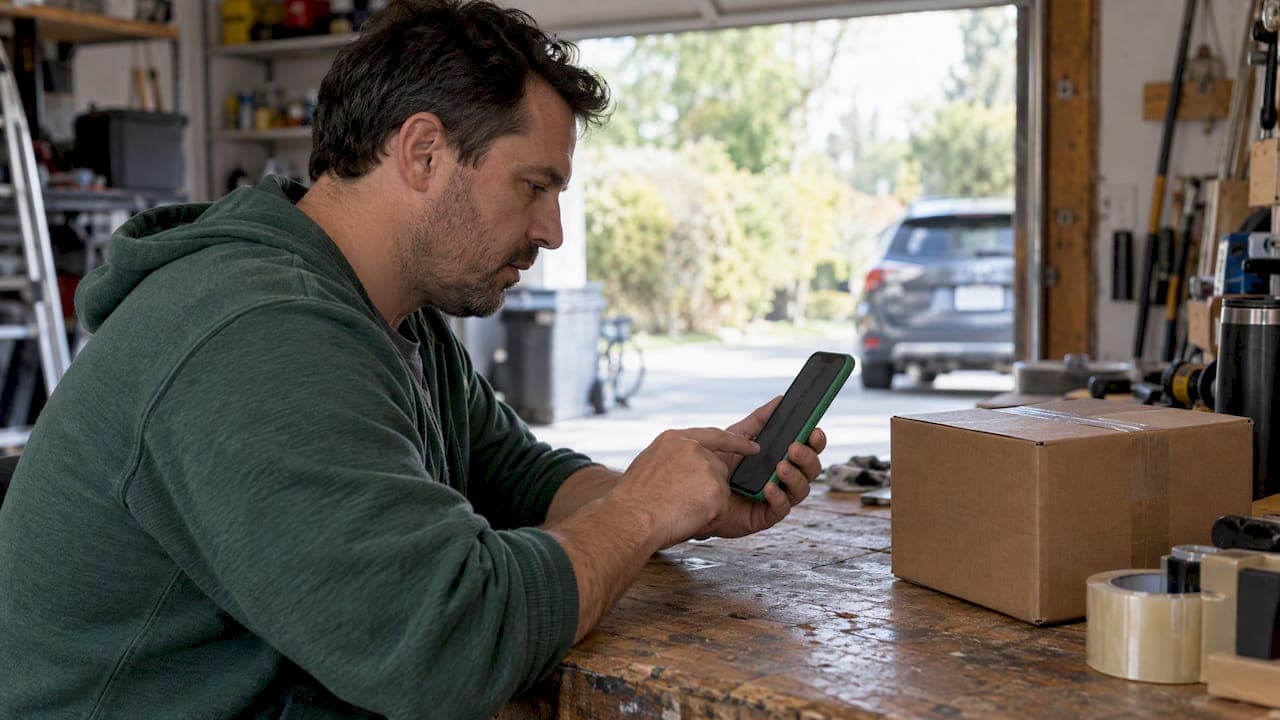
Blocking cuts someone off from contacting you or seeing your activity. Reporting flags an account or piece of content for a platform's moderation team to review against its rules, or the law. Use both when you face harassment or illegal conduct, and escalate intimate image abuse to StopNCII or NCMEC, and threats to law enforcement, right away.
TL;DR:
- Blocking prevents future messages and profile visibility, but the effect of blocking varies depending on whether it's done from a message or profile.
- Reporting content or profiles requires selecting a specific category like harassment or fraud, providing evidence, and may lead to content removal or account suspension.
- After submitting a report, outcomes depend on the platform and may include content removal, warnings, or no action, with a 48-hour window mandated for removing non-consensual intimate images under the Take It Down Act.
- In serious cases involving threats, stalking, or non-consensual images, law enforcement agencies or services like StopNCII.org and NCMEC should be contacted promptly.
- It's best to gather evidence before blocking, as blocking often limits access to message history needed for reports or legal actions.
Table of Contents
- How to block someone on most platforms
- How to report a user or their content
- What happens after you submit a report
- When to involve law enforcement or specialized services
- How to view and manage your blocked users list
- Pro tips for documenting evidence and staying safe
- How blocking and reporting change what the other person sees
- Should you block or report? A quick way to decide
- How blocking and reporting work differently across platforms
- Why we think every report matters, even small ones
- A safer way to buy and sell locally
- FAQ
- Sources
How to block someone on most platforms
Blocking follows a similar pattern almost everywhere: find the profile or message thread, open the overflow menu (usually three dots or lines), tap Block, then confirm. Blocking is an access control tool: once it's active, the other account generally can't message you, see your posts, or follow you, though the exact effect varies by platform.
Where you start the block matters a little. Blocking from a direct message thread usually stops future messages immediately but may leave the old conversation visible. Blocking from a profile often removes you from each other's follower or connection lists too. In a group chat or shared marketplace listing, blocking someone might not remove them from that shared space, only from your private messages.
- Block when you want a hard stop: no messages, no visibility, no contact.
- Mute when you want the person's content gone from your feed without them knowing.
- Restrict (available on some platforms) when you want to limit their reach into your activity without a full block that might escalate a tense situation.
Mute and restrict work well for everyday annoyances. Save a full block for anyone who makes you feel unsafe or who won't stop contacting you.
How to report a user or their content
Reporting works best when you do it from the source, whether that's the post, the message, or the profile itself. If the platform doesn't give you an in-app option, most have a help center or web form built for exactly this.
- Open the content or profile you want to report and look for a "Report" option, usually under the same overflow menu used for blocking.
- Select the reason that actually matches what happened: harassment, hate speech, doxxing, sexual content, or fraud, since the category you pick often determines which team reviews it.
- Add context: timestamps, direct links or URLs, and screenshots that show the behavior clearly.
- For marketplace scams specifically, include the listing ID, screenshots of the conversation, and any payment or contact records tied to the transaction for guidance on marketplace buyer protection.
- Decide whether to block right after reporting or hold off until you've gathered everything you need, since you can't retrieve messages from someone you've already blocked.
Don't delete anything you might need later. A screenshot taken today is easier to produce than a memory of what someone said three weeks ago, especially if the case escalates to a platform investigation or law enforcement. If you spot a listing that looks like a setup for a scam, our guide to local selling scams walks through warning signs before you ever get to the reporting stage.
What happens after you submit a report
Once a report lands with a platform's moderation team, a reviewer checks it against community guidelines and may remove the content, issue a warning, suspend the account, or take no action if nothing was actually broken. Outcomes vary by platform and by case, and most platforms don't publish case-by-case results, largely for privacy and safety reasons on both sides.
- Silence doesn't mean anything happened: many platforms simply don't notify the reporter of the outcome.
- Filing exaggerated or coordinated reports to get someone banned can itself violate a platform's rules.
- If a report goes nowhere, add more evidence and resubmit, or escalate through the platform's dedicated help pages.
One exception has a hard deadline. For nonconsensual intimate images, platforms covered by the Take It Down Act must remove the content within 48 hours of a valid request. That's a statutory timeline, not a guideline, and it's one of the few cases where you can expect a specific response window.
When to involve law enforcement or specialized services
Most reports stay inside a platform's own moderation system. Some situations call for more.
- Contact local police or the FBI's hate crime reporting channels when you face credible threats, stalking, doxxing, or any other conduct that crosses into criminal territory.
- For nonconsensual intimate images involving an adult, use StopNCII.org to create a digital fingerprint of the image so participating platforms can block reposts before they spread further.
- If a minor is involved, the same kind of support comes through NCMEC's Take It Down service, built specifically for that situation.
- If a platform misses its 48-hour window under the Take It Down Act, file a complaint at TakeItDown.ftc.gov.
Never pay or negotiate with someone threatening to expose or harm you. Document every message, screenshot every exchange, and block the account once you've captured what you need. Paying rarely ends the threat and often invites more of it.
How to view and manage your blocked users list
Your blocked accounts live in a list that's usually tucked under Privacy or Security settings, though the exact label depends on the app. Reddit and Twitch, for example, both keep a visible blocked list with an unblock option right there in the same settings menu.
- Check Settings, then Privacy or Security, then look for "Blocked Accounts" or "Blocked Users."
- Unblocking restores the connection: the person can message you, see your profile, and follow you again, depending on the platform.
- If you might need evidence from a blocked account later, save your own screenshots and message exports now, since unblocking and reblocking won't restore a deleted conversation history.
Pro tips for documenting evidence and staying safe
Before you block anyone, grab what you'll need: screenshots with visible timestamps, exported message threads, and for marketplace deals, the listing ID and any payment receipts. Save copies outside the app too, since in-app records can disappear if an account gets deleted or suspended.
Pro Tip: Collect your evidence first, block second, because once someone is blocked you often lose easy access to the thread you'd need for a report or a police complaint.
Use mute or restrict when you want distance without confrontation, and save a full block for situations where you need a clean safety boundary. If a deal looks like it's turning into a scam, our guide on canceling a local marketplace deal covers how to back out safely before any payment clears.
How blocking and reporting change what the other person sees
Blocking and reporting affect visibility and notifications differently, and mixing them up can create confusion at the worst possible moment. When you block someone, most platforms immediately cut off their ability to message you, view your profile, or see your posts. On many platforms, the blocked person gets no notification explaining why they can no longer find you. They may just notice your profile has disappeared from their view.
Reporting is quieter still. Submitting a report doesn't alert the account you've reported, and it doesn't change what they can see or do unless a moderator acts on it. That's intentional: platforms design the reporting flow this way to protect reporters from retaliation.
One practical wrinkle: if you block someone before reporting them, you may lose the ability to pull up their profile or past messages to attach to a report. Some platforms let you report a blocked account through your own saved history or a separate report form, but not all do. That's why evidence collection, screenshots, saved chat logs, and recorded listing details, works best before you block, not after.
Notifications also behave differently across contexts. A blocked user won't see new posts you make, and you likely won't see theirs, but shared spaces like group chats or a marketplace listing's comment section may still show both of you unless you also leave or remove that shared content.

Should you block or report? A quick way to decide
The honest answer is that these two tools solve different problems, so the right move depends on what you actually need. If someone is simply annoying, unwanted, or repeatedly contacting you without breaking any specific rule, blocking alone usually solves it. You get immediate relief: no more messages, no more visibility into each other's activity.
Reporting makes sense when the behavior itself violates a platform's rules or the law, things like harassment, hate speech, doxxing, sexual content involving a minor, or fraud. In those cases, reporting puts the behavior in front of a human reviewer who can act on the account, not just on your personal connection to it.
Platform guidance commonly recommends doing both together when someone is breaking the rules and you also want them out of your own space. Report first if you think you'll need the content or conversation history as evidence, since blocking can limit your access to it afterward. Then block once you've captured what you need.

For marketplace transactions specifically, lean toward reporting when a listing or buyer/seller behavior looks fraudulent, since that protects other users too, not just you. Our comparison of marketplace apps covers how reporting a user differs from simply blocking them when a deal goes sideways.
How blocking and reporting work differently across platforms
The core idea, cutting off contact versus flagging content for review, holds steady everywhere, but the mechanics shift from app to app. Some platforms bundle blocking and reporting into a single flow, prompting you to report first and then offering to block as a follow-up step. Others keep them entirely separate, requiring two distinct actions in two different menus.
Group chats and shared spaces add another layer of variation. On some platforms, blocking someone removes them from your view of a shared group entirely. On others, you'll still see their messages in a group you're both part of, even though you can no longer DM each other directly. Marketplace apps often add their own twist, letting you block a specific user from a listing conversation without affecting any other shared context, like a shared neighborhood group.
Reporting categories also differ. A platform built around live chat or streaming may have reporting reasons tailored to things like stream harassment, while a marketplace app's report form is built around fraud, counterfeit items, and unsafe meetups. Twitch's reporting flow, for instance, asks for different context than a typical social media report form would.
Before you act on a specific platform, check its own help center or privacy settings page, since the labels (Block, Restrict, Mute, Report) and their exact effects can vary enough to matter. Our guide to local marketplace etiquette covers where the line sits between a rude buyer and behavior that calls for a formal report.
Why we think every report matters, even small ones
Our platform is built around the idea that secure payments, verified seller ratings, and active moderation only work if people actually use them. A single report rarely feels urgent in the moment, but it's often how moderation teams catch repeat bad actors before they hurt someone else. Blocking protects you right now; reporting protects the next person too.
— Marketplace
A safer way to buy and sell locally
Scams and harassment show up on marketplaces of every kind, which is why some marketplaces emphasize secure payments, verified seller ratings, and active moderation from the start.
- Verified seller ratings help you judge who you're dealing with before you ever send a message.
- Secure in-app payments reduce the chance a deal turns into a dispute with no record to point to.
- Direct in-app chat keeps your conversation history in one place if you ever need to report it.
Blocking and reporting still matter here too. No moderation system catches everything, so use the tools this guide covers whenever a listing or a message crosses a line. Browse MarketplaceAnywhere to see how a moderated local marketplace handles the categories you're already buying and selling in.
This article is general information, not a substitute for advice from a qualified lawyer. Consult a qualified legal professional about your own circumstances before acting on anything here.
FAQ
What happens if I block and report someone?
Blocking immediately cuts off their ability to message you, see your profile, or follow you, while reporting sends the account or content to a moderation team for separate review. The two actions don't depend on each other: you can do one, the other, or both, and reporting won't notify the person you've reported.
Can someone report you if you block them?
Yes, in most cases a blocked user can still file a report against you through saved messages, screenshots, or a separate report form, depending on the platform. Blocking someone limits their access to you going forward, but it doesn't erase any record of your past interactions that they may have already saved.
What is the difference between block and report and block?
Blocking alone stops contact and visibility between two accounts, with no review by the platform. Reporting adds a layer that block alone doesn't: it asks a human moderator to review the account or content against platform rules, which can lead to removal, warnings, or suspension.
How can I see my blocked users?
Most platforms keep a blocked accounts list under Privacy or Security settings, often labeled "Blocked Accounts" or "Blocked Users." Reddit and Twitch both show this list in their settings menu along with an option to unblock anyone on it.
Should I block before or after I report someone?
Report first if you think you'll need the profile or message history as evidence, since blocking can limit your ability to pull up that content afterward on some platforms. Once you've saved screenshots or exported the conversation, blocking right away gives you an immediate safety boundary.
Sources
- Cyber harassment resources (WSU CCR)
- Was your intimate image shared online without your consent? Here’s what to do | Consumer FTC
- How do I block someone? – Reddit Help
- Report a hate crime — U.S. Department of Justice
- How to file a user report — Twitch Help