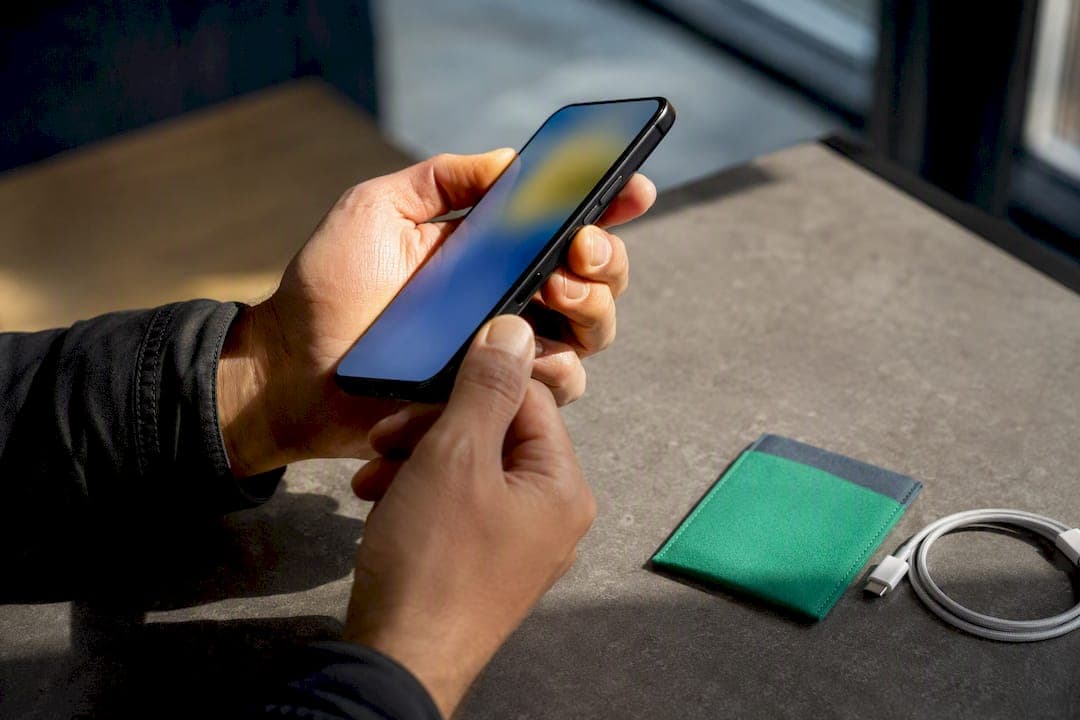
Before you hand over cash, run five checks: pull the IMEI and confirm it isn't blacklisted, verify Activation Lock is off, inspect the screen, frame, and ports for damage or repairs, check battery health, and test calls, data, cameras, and audio. Pass all five and the phone is very likely safe to buy. Fail even one, and you have a bargaining chip or a reason to walk.
TL;DR:
- Confirm the IMEI matches the seller's listing and is not flagged as lost or stolen before purchasing a used phone.
- Ensure Activation Lock is disabled by resetting the device in front of the seller and confirming the "Hello" screen appears.
- Check the battery health and appearance for signs of swelling or poor charging to avoid future replacements.
- Test core functions such as calls, data connection, camera, and speakers to identify potential issues upfront.
- Use industry-standard IMEI checkers like CTIA or GSMA to verify the device hasn't been blacklisted or reported stolen.
Table of Contents
- Quick Checklist to Check a Used Phone in Person
- Physical Inspection: Screen, Frame, and Signs of Repair
- How Do I Check Activation Lock and IMEI Status?
- Checking Battery Health Before You Buy
- Testing Calls, Data, Camera, and Other Core Functions
- Which Verification Tools Actually Catch Stolen Phones?
- What to Do If a Check Fails
- Seller Red Flags and How to Pay Safely
- Checking Storage Capacity and Confirming the Data Was Wiped
- Verifying Warranty Status and Support Eligibility
- Spotting Aftermarket or Unauthorized Repairs
- Marketplace's Take on Buying Used Phones Safely
- Find Verified Local Sellers on Marketplaceapp
- Sources
- FAQ
Quick Checklist to Check a Used Phone in Person
Print this or save it to your phone before you meet a seller. It works for a live meetup or a video call.
- Ask for the IMEI before you pay, then confirm it on the device by dialing
*#06#. - Power the phone on and watch for a setup or lock screen. On iPhone, that means confirming you see the "Hello" screen, not "iPhone Locked to Owner."
- Inspect the screen, frame, and ports in good light. Test every button and check the SIM tray for corrosion.
- Plug it in and watch how it charges. Note any heat, swelling, or a battery percentage that jumps oddly.
- Make a call, load a webpage on data, snap a photo, and play audio through the speaker.
- Confirm the seller's identity matches their listing, get a receipt, and clarify the return window before payment.
None of this takes more than ten minutes, and a seller with nothing to hide won't blink at any of it.
Physical Inspection: Screen, Frame, and Signs of Repair
Start with the screen. Open a plain white or gray image (a blank Notes page works) and look for dead pixels, dark spots, or discoloration. Then drag your finger slowly across every inch of the display, corner to corner, checking for dead zones where touch doesn't register or spots that feel gritty under pressure.
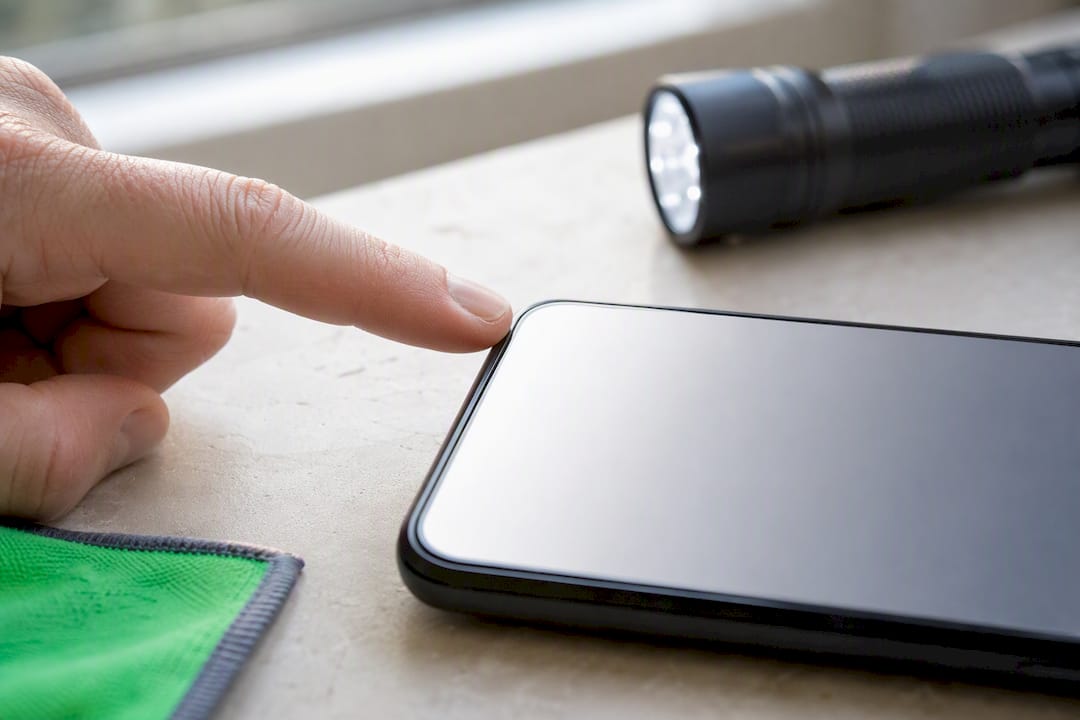
Next, check the frame. Set the phone flat on a table and see if it rocks, which usually means a bent chassis. Run a fingernail along the seam where the glass meets the frame. Gaps, glue residue, or a seam that feels sharp on one side but smooth on the other point to a screen replacement.
Water damage is trickier because it hides. Most phones have a Liquid Contact Indicator near the SIM tray or in the charging port. It's usually white or silver when dry and turns pink or red after exposure to moisture. A flashlight and a phone camera zoomed in help you actually see it.
- Check the SIM tray, headphone jack (if present), and charging port for the LCI sticker.
- Look for mismatched screws (different sizes or finishes around the case).
- Feel for uneven gaps between the back glass and the frame.
Pro Tip: Bring a small flashlight and a jeweler's loupe or your phone's zoomed camera. Cheap screen repairs often show up as a slightly different color temperature at the edges of the display when backlit.
How Do I Check Activation Lock and IMEI Status?
This is the step that actually protects your money, so don't skip it even if the phone looks perfect.
Start with Activation Lock on iPhone. Ask the seller to factory reset the device in front of you, then begin setup yourself. Apple's own guidance is blunt: you should never take ownership of a preowned iPhone that shows "iPhone Locked to Owner" during setup. Seeing the "Hello" screen means the device is erased and ready for a new account.
Next, get the IMEI straight from the hardware. Dial *#06# or check Settings > About (Android: Settings > About Phone), and match that number to whatever the seller listed. This matters because scammers sometimes swap the IMEI on packaging while the actual device carries a different, flagged number.
Once you have the real IMEI, run it through the CTIA Stolen Phone Checker, which pulls from GSMA Device Check. A green result means the device isn't currently flagged. A red result means it's reported lost or stolen, full stop, walk away.
- Dial
*#06#and photograph the screen for your records. - Cross-check that IMEI against the listing and the physical box.
- Run it through the CTIA checker before you agree to a price.
One limitation worth knowing: some finance or carrier locks don't surface until you actually try to activate the phone. If you're buying remotely, that's a real gap, and it's one more reason to lean on a documented return policy.
Checking Battery Health Before You Buy
Battery condition affects both how long the phone will serve you and what a fair price looks like. On iPhone, go to Settings > Battery > Battery Health & Charging. Apple's own documentation notes this screen may show a warning or go blank if the battery is unknown or not genuine, which is itself a red flag.
On Android, built-in battery stats vary by manufacturer, so a free app like AccuBattery gives a more consistent read on capacity and discharge rate.
While you're at it, plug the phone in and watch it for a few minutes. A battery that swells the back cover, gets hot fast, or charges in odd jumps (say, from 40% to 70% in ninety seconds) needs replacing regardless of what the health percentage says. Aim for a maximum battery capacity that indicates good health; if the battery shows signs of significant wear or degradation, factor a replacement into your offer, as it will reduce the overall value you are paying.
Testing Calls, Data, Camera, and Other Core Functions
Work through these in order, since each test builds on the last:
- Insert your own SIM and confirm the phone registers on your network. This alone tells you whether it's actually unlocked, not just "advertised as unlocked."
- Make a call and record a voice memo to check the earpiece and microphone both work clearly.
- Send a text and load a website on cellular data, then switch to Wi‑Fi and confirm it connects.
- Pair a Bluetooth device, check GPS lock (any maps app), and try the mobile hotspot.
- Shoot a few photos in bright and dim light, then record ten seconds of video.
- Play music through the speaker and check both volume and clarity for distortion.
If any single test fails, that's a specific, fixable issue, not necessarily a dealbreaker. A dead speaker is worth $20 to $40 off. A phone that won't register on your carrier at all is a different conversation entirely.
Which Verification Tools Actually Catch Stolen Phones?
Not every "IMEI checker" you find online pulls from the same data, and that difference matters more than most buyers realize.
The CTIA Stolen Phone Checker, backed by GSMA Device Check, is the closest thing to an industry standard. It taps records shared across carriers and law enforcement, which is why official checkers catch flags that random free lookup sites miss.
For a deeper history, paid services like CheckMEND or Phonecheck go further than a blacklist flag. They aggregate insurance claims and police records, which can surface a phone that was reported for insurance fraud even though it's not currently blacklisted.
- Free CTIA/GSMA check: good enough for most local, in-person purchases.
- Paid history report: worth the fee for remote purchases, flagship-priced phones, or when a seller can't produce a receipt.
- Certified pre-owned listings reduce risk but don't eliminate it. Verizon's own guidance notes that even certified refurbishers can have incomplete device histories, so the IMEI check still applies.
A quick way to think about it: spend a few dollars on a report when the phone costs hundreds, and skip it when a $50 flip phone is on the table.
What to Do If a Check Fails
A blacklisted or stolen IMEI means the deal is over. Don't pay, screenshot the listing and IMEI result, and report it to the marketplace.
If Activation Lock is still active, ask the seller to sign out of their account and show you the "Hello" screen. If they can't or won't, walk away, because that phone can turn into an expensive paperweight the moment they change their mind.
Discover a battery or functional problem after paying? Lean on the platform's documented return window or dispute the charge through your payment provider with your test evidence attached. For anything involving a stolen device, contacting the carrier or local police with your saved device-history report gives your claim real weight.
Seller Red Flags and How to Pay Safely
Pricing that's dramatically below market is the most common tell, but it's rarely the only one. Watch for sellers who refuse to meet in person or show the device on video, an IMEI that doesn't match what's printed on the box, or no receipt at all.
For in-person deals, meet in a public spot, bring someone with you, and test the phone with your own SIM before paying. Use a traceable payment method rather than cash apps with no buyer protection.
For remote purchases, insist on a device-history report, tracked shipping, and a clear return window in writing before you send money.
Pro Tip: Ask the seller for a short video showing the phone booting up with the IMEI screen visible. It takes them thirty seconds and rules out a huge share of scam listings before you ever meet.
Checking Storage Capacity and Confirming the Data Was Wiped
Go to Settings > General > About (iPhone) or Settings > About Phone > Storage (Android) and confirm the listed capacity, 128GB, 256GB, and so on, matches what the seller advertised. Sellers sometimes list a phone by its "common" size rather than its actual one, and the difference affects resale value later.
Check available storage against total storage. If a supposedly wiped phone shows only a sliver of free space, something's off. It could mean the reset didn't fully complete, or there are hidden partitions or leftover system data eating capacity.
More importantly, confirm the phone was actually factory reset, not just had its apps deleted. A true factory reset returns you to the initial setup screen (the Hello screen on iPhone, or the Android welcome wizard) with no trace of the previous owner's accounts, photos, or files. If you open the Photos app or Files app and find anything from a previous owner, that's a sign the reset was incomplete or skipped entirely, which also means Activation Lock or a Google account lock could still be lurking underneath.
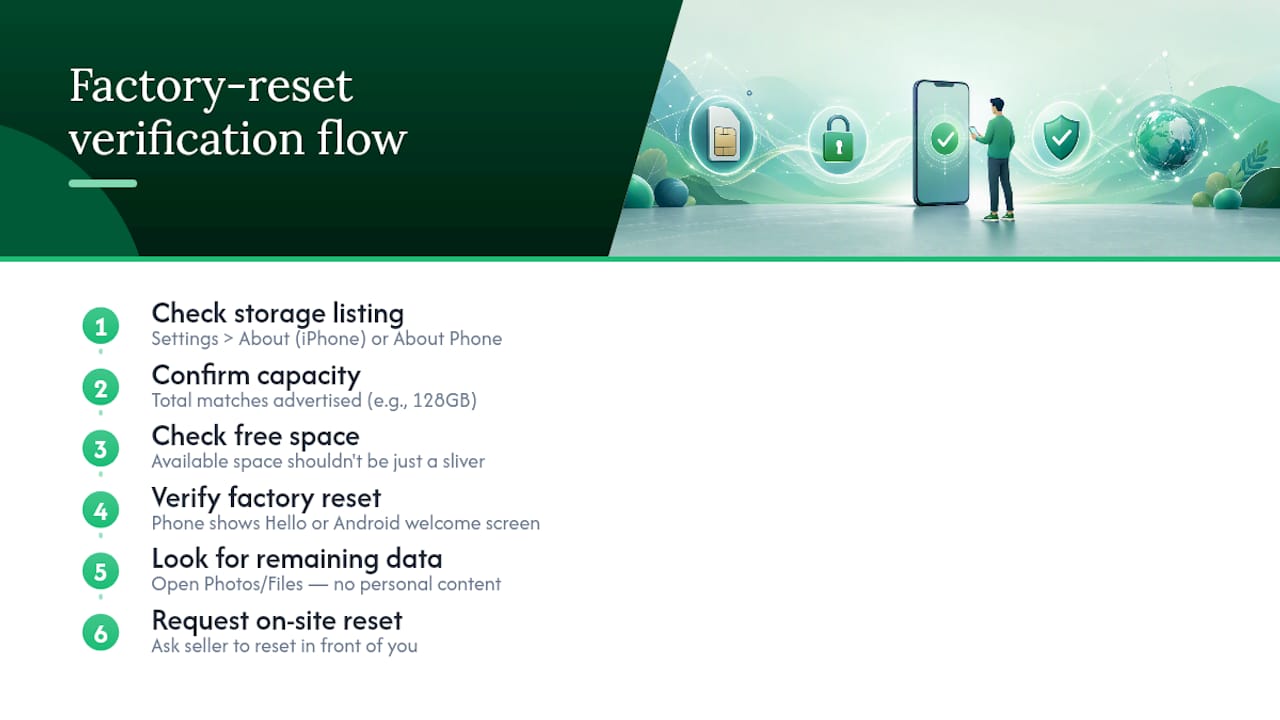
Sellers who are reselling responsibly typically wipe the device themselves before listing it. If you're on the selling side of a future transaction, following a proper factory reset process protects both your data and your buyer's trust. As a buyer, don't be shy about asking the seller to reset the phone in front of you at the meetup if it hasn't been done already. It takes about five minutes and answers the storage and data questions at the same time.
Verifying Warranty Status and Support Eligibility
A used phone's warranty rarely transfers cleanly, but it's worth checking before you assume you have zero coverage. Apple devices carry a one-year limited warranty from the original purchase date, not from when you buy it secondhand, so a phone sold six months after its original purchase might still have coverage left. Check eligibility using the serial number (found in Settings > General > About) on Apple's official coverage lookup rather than taking the seller's word for it.
Android manufacturers handle this differently. Samsung, Google, and others typically tie warranty to the original purchase receipt and region, and many require proof of purchase you likely won't have as a secondhand buyer. Ask the seller directly whether any manufacturer warranty or AppleCare-style extended plan is still active, and get it in writing if they claim it transfers.
Carrier-subsidized phones complicate things further. If the phone was financed through a carrier installment plan, it might carry an active loan balance even if it looks and works fine, and some carriers won't offer support or unlock the device until that balance clears. This is separate from the Activation Lock and IMEI blacklist checks covered earlier, so don't assume a clean IMEI result means a clean financial history.
If warranty coverage genuinely matters to you, weigh a certified refurbished option from an authorized reseller against a private sale. Certified units usually include a fresh short-term warranty, while private sales almost always come "as is."
Spotting Aftermarket or Unauthorized Repairs
Unauthorized repairs aren't automatically a problem. Plenty of independent shops do excellent work. But an undisclosed repair changes what you should pay and what to test more carefully.
Start with the screen. Genuine displays match the original color temperature and brightness evenly across the panel. An aftermarket screen often looks slightly cooler or warmer at the edges, or the touch response feels a half-beat slower than the center of the display. On iPhones, a screen swapped by an unauthorized shop can also trigger a persistent "Unable to verify this iPhone has a genuine display" message in Settings, which is worth checking specifically.
The battery tells a similar story. Apple devices with a non-genuine battery installed often show "Battery Health" as unavailable or grayed out rather than displaying a percentage, which lines up with Apple's own guidance on the subject.
Physically, look for pry marks around the frame edges, mismatched adhesive that's visible along the seams, or screws that don't match each other in size or head type. Camera modules are another common swap point. Check for slight misalignment around the lens ring or a camera app warning about an unrecognized module, which some newer phones display when a non-original camera part is installed.
None of this means reject the phone outright. It means ask the seller directly, and if they're upfront about a screen or battery swap, use it to negotiate the price down rather than treating it as a hidden defect.
Marketplace's Take on Buying Used Phones Safely
Checklists reduce risk, but they work best paired with visible seller history: verified ratings, in-app chat logs, and a local meetup instead of a shipped mystery box. Marketplace's editorial view is simple: the safest secondhand deals combine platform-level signals with the hands-on tests above. Neither alone is enough.
— Marketplace
Find Verified Local Sellers on Marketplaceapp
Running through this checklist is a lot easier when the seller already has a track record you can see before you meet up. Some platforms show verified seller ratings, keep negotiation in-app chat for a written record, and support secure in-platform payments instead of cash-only meetups. Location-based search can help you browse phones from sellers nearby, facilitating in-person IMEI checks and live functional testing where feasible.
Use the checks in this guide during the meetup: pull the IMEI, confirm Activation Lock is off, inspect the screen and battery, and test the core functions before you pay. If a listing's seller has strong ratings and a clean chat history to back it up, that's one more layer of protection stacked on top of your own inspection. Ready to see what's available near you? Browse used phone listings on Marketplaceapp and start comparing local sellers today.
Sources
FAQ
What Does Dialing *#9900# Do to a Phone?
On some Android devices, this code opens a system dump or diagnostic menu used by technicians, not something an average buyer needs during a routine check. Stick to *#06# for the IMEI, which is the code that actually matters for verification.
What Is the *#21# Code Used For?
Checking whether call, SMS, and data forwarding are active on the phone can reveal if calls or messages are secretly being redirected elsewhere. It's a quick, harmless check worth running on any used phone before you rely on it for calls or two-factor codes.
Can I Check if Someone Used My Phone?
You can check call logs, message history, and battery usage stats for unfamiliar activity, along with reviewing which apps have recently accessed your camera or microphone in your phone's privacy settings. There's no single universal code that reveals this. It comes down to reviewing the logs and settings your phone already keeps.
What Happens If I Press *#0*# on an Android Phone?
This code opens a hidden hardware diagnostic menu on many Samsung and other Android devices, letting you test the screen, speakers, camera, sensors, and vibration motor in one place. It's genuinely useful during a used phone inspection since it checks several hardware components in under a minute.
Is It Worth Paying for a Device History Report?
For a phone costing several hundred dollars or more, or any remote purchase where you can't test the device in person first, yes. A free IMEI check like CTIA's catches blacklist status, but paid reports from services like CheckMEND can surface insurance and police records that a basic check won't show.