To check a serial number, find it in two places: the device's own software and the label or engraving on the body. Then confirm the two match, and run the number through the manufacturer's official lookup if one exists. A clean result is only one clue. Counterfeiters copy valid numbers, and a lookup cannot tell you that an item is not stolen. This guide shows where to look on common products, what a check can and cannot prove, and what to do on the spot when you meet a seller.
TL;DR
- Find the serial number in the software (for an iPhone, Settings > General > About) and on the physical item. If the two differ, walk away.
- A lookup confirms a model and specs. It does not prove the item is genuine or not stolen, because fake products often reuse real serial numbers.
- Phones are checked by IMEI (dial *#06#). Vehicles use the 17-character VIN. Boats use a HIN. Everything else has a nameplate or label.
- A scratched, peeled or painted-over number is a reason to refuse the deal, whatever the seller says.
- Meet in person, test the item, and ask to see the number on the screen before any money moves.
Table of Contents
- What a serial number tells you (and what it doesn't)
- Where to find the serial number by product type
- The matching rule: software number versus physical number
- Signs of tampering you can see in 30 seconds
- Why price is part of the check
- Buying a used vehicle: the VIN comes first
- Your legal position if the item turns out to be stolen
- Checking high-value items from online sellers
- Our perspective: a serial check is a habit, not a verdict
- A short checklist for the meetup
- Find local listings with details you can check
- FAQ
- Sources
What a serial number tells you (and what it doesn't)
A serial number is an identifier a manufacturer assigns to one unit. Verification compares the number to the manufacturer's known ranges and rules, and it counts as verified when it matches what the maker has on record. That is useful. It tells you the model, roughly when it was built, and sometimes whether warranty coverage exists.
What it does not tell you is whether the unit in your hand is the unit the number was issued to. Apple Community contributors point out that counterfeiters can fake AirPods serial numbers more easily than they can copy the device and packaging, so a number can pass an online check while the product is a copy. Another thread on AirPods Max says the lookup is no guarantee, and that the only sure way to get a genuine pair is to buy from the manufacturer or an authorized seller.
So treat a serial check as one test in a short set of tests:
- Does the number in the software match the number on the body?
- Does the manufacturer's lookup return the right model for what is being sold?
- Is the number intact and unaltered?
- Does the price make sense for the item?
- Does the item work, and can the seller explain where it came from?
Where to find the serial number by product type
The location depends on what you are buying. Ask the seller to show you the number on the item itself, not just in a photo.
| Product | Where to look |
|---|---|
| iPhone, iPad | Settings > General > About; also the original box and, on some models, the device itself (Apple Support) |
| Mac | Apple menu > About This Mac |
| Android phones | Settings > About phone; dial *#06# for the IMEI; the SIM tray often carries it too |
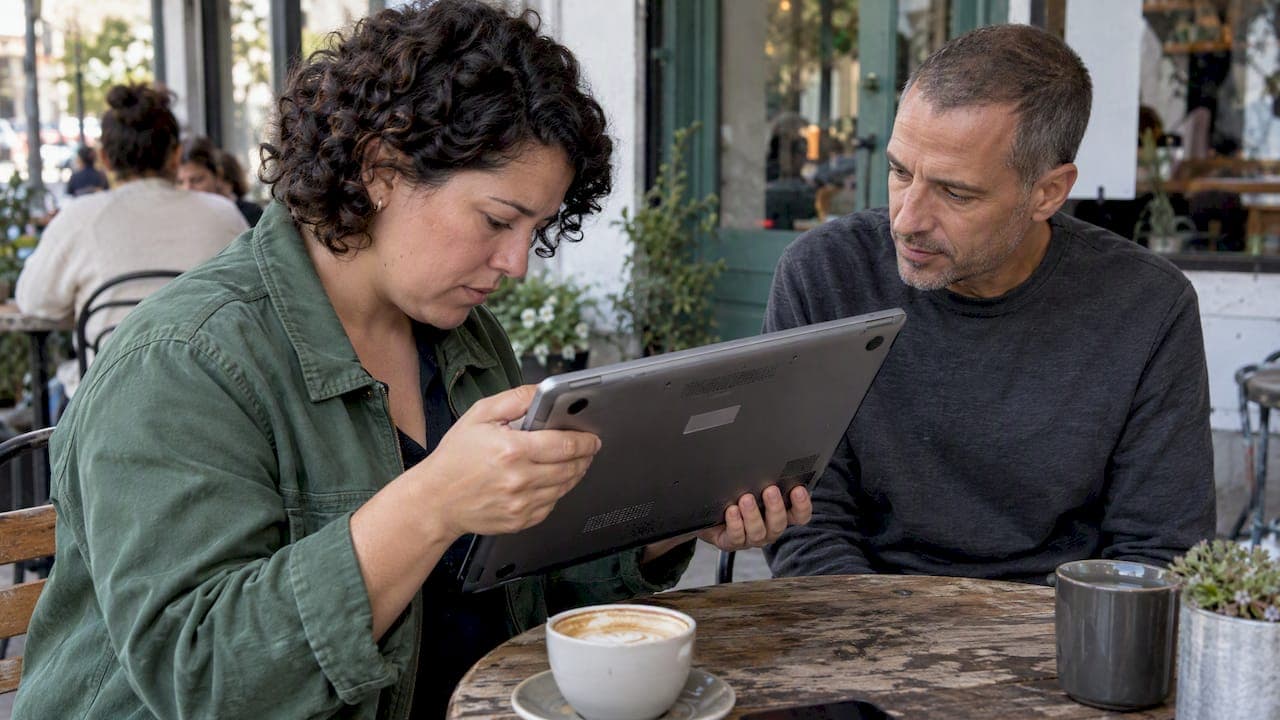
| Laptops and consoles | Bottom casing, or the system information menu |
| Cameras | Base of the body or inside the monitor hinge; Fujifilm's support page describes the location for its cameras |
| Power tools | Nameplate, battery compartment, or the original packaging |
| Cars and motorcycles | The 17-character VIN, on the driver's side of the windshield, plus the title and registration |
| Boats | The hull identification number (HIN) on the transom |
The Where to Find the Serial Number, IMEI or VIN on Any Item guide covers more categories if you are buying something unusual, such as a bike or an e-bike with a separate battery number.
Phones: the IMEI is the number that matters
For smartphones the IMEI is usually more useful than the serial number. Dial *#06# and it appears on screen. If the seller will not dial it in front of you, that is information. We cover the full routine, including Activation Lock and carrier status, in our guide to 5 checks to verify a used phone.
One caution about "stolen" databases: a clean IMEI result does not mean the phone is safe. Carriers can be slow to add reported devices to shared lists, so a stolen phone can look fine for a while. Treat a clean result as one reassuring signal, not as proof.
Apple products: three official places to look
Apple lists several locations for the serial number, EID and IMEI on iPhone, iPad and iPod touch: Settings, the device itself, the Finder, or the original packaging. Use that page as the reference rather than a third-party lookup site. Accessories are trickier. Some chargers and power adapters carry no serial that the coverage checker accepts, as one Apple Community thread about a MagSafe charger shows, so a failed lookup on an accessory is not automatically a red flag. A failed lookup on a phone or laptop is a different matter.
The matching rule: software number versus physical number
This is the single most useful habit. The number displayed in the device's settings should match the number on its label, engraving or box. A mismatch is often a clearer sign of tampering or part swapping than the number itself.
Here is how to do it at a meetup:
- Ask the seller to unlock the device and open the About screen, or dial *#06# on a phone.
- Read the number aloud or photograph it.
- Compare it with the sticker, engraving or box label, character by character.
- If the box has a number, check that it matches too. Boxes are easy to swap, so a box that matches proves little on its own. A box that does not match is worth asking about.
- Run the manufacturer's official lookup right there on your own phone, if one exists.
If a seller will only send a photo of a sticker and refuses to show the software number, treat the listing with extreme caution. A sticker can be printed. A software value is much harder to fake.
Signs of tampering you can see in 30 seconds
Look at the number itself before you read it.
- Peeled, cut or painted-over labels. A label that has been removed or covered is a reason to walk away.
- Ground or filed metal. A stamped number on metal that looks sanded or scratched has probably been altered on purpose. In many jurisdictions, possessing high-value goods such as firearms or vehicles with obliterated serial numbers can carry serious legal consequences, and that risk lands on the buyer.
- Mismatched parts. Check that numbers on different parts agree where they should, such as a bike frame and its battery. Mismatches can mean parts came from stolen goods.
- Missing software entry. A device that shows no serial in settings, or a blank where one should be, is a major warning sign.
- A seller who rushes you. Pressure to skip the check is part of the pattern.
Why price is part of the check
The U.S. Federal Trade Commission publishes consumer advice on online shopping, and the research we reviewed with it points the same way: a price far below normal for a high-demand brand-name item is a common mark of a counterfeit or stolen product. A low price also discourages buyers from asking for receipts and serial numbers, which is part of why it works.
Before you meet, look at what comparable used items are going for in your area. If the offer is a third under the usual range, ask yourself what the seller gains from that. Our guide on how to price used electronics is written for sellers, but the ranges it describes help buyers spot an offer that does not add up.
Buying a used vehicle: the VIN comes first
For cars, never rely on a serial number alone. Check the VIN against official records. The UK government's guidance on checking a used vehicle asks buyers to confirm that the details the seller gives match the official database and that the MOT history lines up. That is a UK process. In the U.S., the equivalent is comparing the VIN on the dashboard and door jamb with the title and registration, and getting a history report before you pay. Walk away if the VIN plate looks tampered with or the paperwork does not match the car.

Your legal position if the item turns out to be stolen
The rules differ by country, so check yours. As one example, under consumer rules summarized in a Flintshire Trading Standards support pack (UK), buying from a trader brings protections such as satisfactory quality, while a private sale carries fewer, and the buyer is expected to check condition first. The same pack describes the principle that a seller must have the legal right to sell, and that stolen goods never legally become yours even if you bought in good faith. Do not assume your jurisdiction is different. If you think you have bought stolen property, contact your local police and a consumer-law adviser or legal aid office rather than selling it on.
Checking high-value items from online sellers
The more an item costs, the more paperwork you should ask for: the original receipt, the box, accessories, warranty cards, and any certificates. The same habits apply across product types, and a guide on buying diamonds online safely shows how to think about verifying a seller and proof of purchase when the item is expensive and small enough to hide a lot of risk.
For general authenticity checks beyond serial numbers, such as packaging, logos, and build quality, see our guide on how to verify item authenticity on any marketplace.
Our perspective: a serial check is a habit, not a verdict
We run a local marketplace, and most problems we see come from skipped steps rather than clever fraud. Buyers fall in love with a price, skip the in-person test, and trust a screenshot. Sellers lose deals because they cannot show a clean number or a receipt.

Our view is simple. First, a serial number check is evidence, not a verdict. It belongs next to a hands-on test, a price sanity check and a conversation with the seller. Second, local transactions give you an advantage that shipped orders do not: you can hold the item, open the settings screen and compare numbers before paying. Use it. Third, sellers should make this easy. If you are selling, write the model and the last digits of the serial in your listing, photograph the label, and be ready to show the software screen. Honest sellers who do this close faster, and buyers read it as a sign of care.
For the next steps, we have written on testing used electronics before you pay and online classifieds safety for buyers and sellers.
— Marketplace
A short checklist for the meetup
- Choose a busy, well-lit public place, and bring a charged phone.
- Ask the seller to power on the item and open the screen showing the serial or IMEI.
- Compare it with the label or engraving and the box.
- Run the manufacturer's official lookup if one exists, and read the model it returns.
- Inspect the number for scratches, residue or repainting.
- Test the item: screen, battery, ports, camera, and any lock status.
- Ask for the receipt or proof of purchase, and note the seller's name and contact.
- If anything fails, leave. A good deal never needs you to skip a step.
Find local listings with details you can check
If you are looking for electronics, vehicles, fashion, pets or home items near you, MarketplaceAnywhere lets you browse categorized local listings, see seller ratings, and chat directly with the seller before you meet. Ask for the model and serial details in the chat, so you arrive knowing what to compare. Selling something instead? List it with clear photos of the label and the model, and you will save time on both sides.
FAQ
Can I tell if an item is stolen from its serial number?
Not reliably. A lookup mainly confirms a model and specs, and a stolen item may not have been reported yet, or may not appear in the database you check. Combine the check with the seller's proof of purchase, an inspection of the number, and a sensible price. If you are worried, contact local police before you buy.
What if the serial number on the item doesn't match the one in the settings?
Do not buy it. A mismatch is a stronger warning than the number itself, because it suggests swapped parts or tampering. Ask the seller to explain, and if the answer is vague, leave.
Is a serial number lookup website trustworthy?
Start with the manufacturer's own page, such as Apple's, because it uses the maker's records. Third-party sites can be useful for model details, but treat any "verified authentic" result with caution, since valid numbers can be copied onto fakes.
Should I share the serial number with a buyer or seller?
Yes, sharing it is normal and helpful, especially in chat before a meetup. A buyer can check the model and coverage, and a seller who shares it shows good faith. Do not share account passwords, Apple ID details or one-time codes alongside it.
Sources
- Find the serial number, EID, or IMEI on your iPhone, iPad, or iPod touch (Apple Support)
- Why do my AirPods Pro show different serial numbers (Apple Community)
- How to authenticate genuine AirPods Max (Apple Community)
- Apple MagSafe Charger serial number thread (Apple Community)
- Where to Find the Serial Number, IMEI or VIN on Any Item
- Serial Number Verification (EquipmentWatch)
- Digital Cameras FAQ (Fujifilm)
- Online Shopping (FTC Consumer Advice)
- Check a used vehicle you're buying (GOV.UK)
- Consumer support pack (Flintshire Trading Standards)