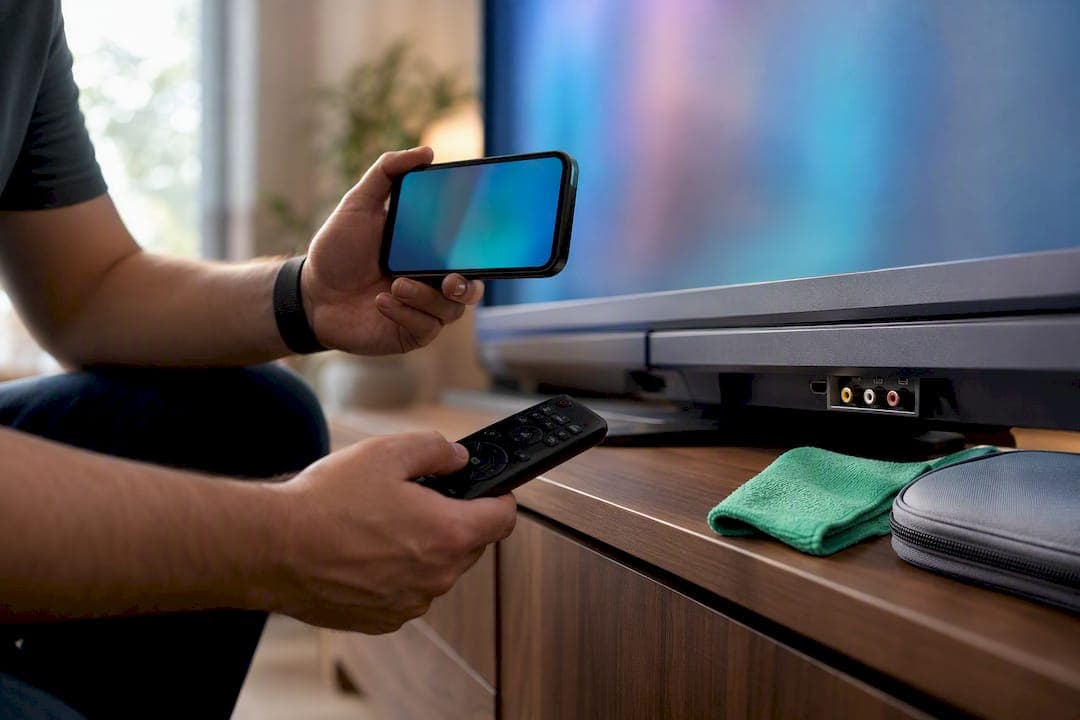
Start with local peer-to-peer marketplaces and inspected pawn-shop stock, but always test the TV in person with a live video source before you hand over any money. Search nearby listings today, then either request a quick test video from the seller or schedule an in-store viewing. The single step that protects you most: plug something in and watch it play before cash changes hands.
TL;DR:
- Test the TV in person with a live video source before purchase to verify display quality, port functionality, and backlight uniformity.
- Peer-to-peer marketplaces offer lower prices but require thorough inspection and testing, while pawn shops provide inspected stock at higher prices for added certainty.
- Negotiate based on visible flaws, missing accessories, and cosmetic condition, and be prepared to walk away if the deal does not match inspection findings.
- Meet in daylight at public locations, bring exact cash or secured payment, and verify the TV’s condition and included accessories before completing the sale.
- Transport the TV upright in its original packaging or wrapped securely, with help for larger sizes to prevent damage during moving.
Table of Contents
- Where to Find Local Used TVs for Sale
- How Do You Test a Used TV Before Buying It?
- What's a Fair Price for a Used TV?
- How to Stay Safe Meeting a Seller in Person
- What Happens After You Get the TV Home?
- Screening Listings Faster on MarketplaceAnywhere
- How Do You Transport a Used TV Safely?
- Marketplace Perspective: Why In-Person Testing Still Wins
- Find Verified Local TV Listings on MarketplaceAnywhere
- Sources
Where to Find Local Used TVs for Sale
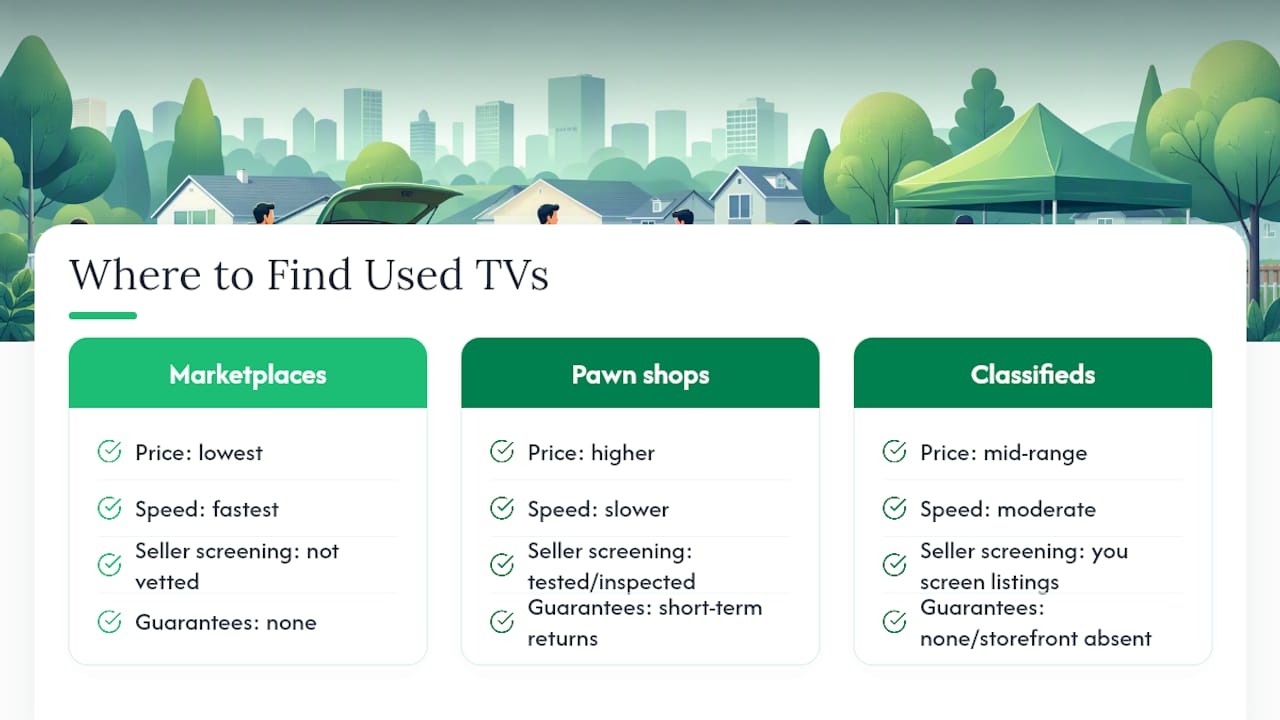
Every source has a tradeoff between price, speed, and safety, so the right pick depends on what you value most.
Peer-to-peer marketplaces and neighborhood buy/sell groups usually have the biggest selection and the lowest prices, since sellers are often just clearing out a spare bedroom or upgrading before a big game. The catch is that nobody has vetted these listings for you. A Reddit thread on buying used items locally shows just how often buyers warn each other about mismatched photos and sellers who go quiet after agreeing on a price.
Pawn shops and used-electronics retailers sit at the other end of the spectrum. Many advertise tested, inspected inventory and back it with short-term returns or in-store guarantees that private sellers can't match, according to Oro Express Mesa Pawn & Gold. You'll typically pay more, but you're buying certainty along with the screen.
Classifieds and local forums fall somewhere in between: occasional steals, but you'll do more of your own screening since there's no storefront or rating system backing the listing.
If speed and price matter most, start with a marketplace app and cast a wide net. If a smooth, low-hassle purchase matters more than saving every last dollar, a pawn shop or used-electronics store is the safer bet. Comparing a few local selling platforms side by side before you commit to one app is worth ten minutes of your time.
How Do You Test a Used TV Before Buying It?
Run through this sequence in order. It takes less than ten minutes and catches almost every common problem.
- Check the screen surface first, in natural light if possible, looking for scratches, pressure marks, or a faint grid pattern that signals burn in.
- Inspect the chassis and stand for cracks, water stains, or mismatched screws that suggest a prior repair.
- Count the ports against what the listing claims. Missing HDMI covers or a loose port often means rougher handling than the photos let on.
- Power it on and watch the boot sequence. A TV that hangs, restarts, or shows a corrupted logo has deeper problems.
- Open the menu and check the backlight on a black or dark gray screen. Uneven brightness in the corners means backlight bleeding.
- Play a bright test clip to look for dead pixels or discoloration. Reviewers at Rtings note that panel durability varies a lot by brand and model, so this step matters more on off-brand sets.
- Test HDMI inputs one by one with your own cable and device, plus Wi-Fi and app sign-in if it's a smart IPTV TV. CNET's TV buying guidance treats input testing and display uniformity as the two non-negotiables for any TV purchase, new or used.
- Check remote responsiveness across volume, input switching, and menu navigation.
Bring your own HDMI cable, a phone loaded with a short test clip, and a streaming stick if the seller's smart features seem unreliable. Never rely solely on the seller's cable or app login.
Pro Tip: Record a short video of the TV powered on and playing content, with a timestamp visible on your phone. If a problem shows up later, you'll have proof of the TV's condition at the moment of sale.
What's a Fair Price for a Used TV?
Age, size, and features drive price more than brand name alone. A 55 inch 4K smart TV that's one to three years old typically holds far more value than a five-year-old set of the same size, since modern TVs deliver strong performance at prices that have dropped sharply compared to a few years ago. Targeting that recent, slightly outdated sweet spot is often where the real savings live.
- Pawn shop prices usually run higher than comparable peer-to-peer listings, reflecting the inspection and short return window you're paying for.
- A TV with visible cosmetic wear but a clean picture is a reasonable target for a lower offer.
- Missing the remote, power cable, or original stand is fair grounds to knock the price down further.
When negotiating, start below the asking price, name the specific flaw you found during inspection, and ask whether accessories are included before you talk numbers. Set a walk-away price in your head before you show up, and stick to it. If a pawn shop's price is only a little higher than a shaky private listing, paying the premium for tested stock is often the smarter trade. For a deeper look at pricing logic, see this guide on pricing used electronics.
How to Stay Safe Meeting a Seller in Person
Meet during daylight hours in a public place, a shopping center parking lot, a coffee shop, or inside the shop itself if you're buying from a retailer. Skip private homes and remote addresses whenever you can avoid them.
- Confirm the meeting location and time in writing through the app's chat feature before you head out.
- Bring cash in exact change or use the platform's secured payment option. Wire transfers and unfamiliar escrow services are common scam vehicles.
- Watch for warning signs: photos that don't match the TV in front of you, a last-minute change of location, or a seller who pressures you to skip testing "because it's obviously fine."
- Test the TV fully before any money changes hands, confirm all listed accessories are present, and get a quick written note or text confirming the sale price and condition.
A five-minute test at the meetup avoids a much longer headache later. For more on meetup etiquette, Marketplaceapp's guide to local marketplace etiquette covers polite ways to ask for extra photos or a delayed meeting without offending the seller.
What Happens After You Get the TV Home?
Once the TV is set up, do a factory reset if the seller hasn't already, then check for firmware updates before you start streaming. Sign out of any accounts left logged in and create your own local profile.
- Photograph the serial number and keep the receipt or written condition note from the sale in case a dispute comes up later.
- Test every input again at home under normal lighting, since some flaws only show up after the TV has run for an hour.
- Set expectations around returns: private sales are almost always final, while shops and retailers sometimes offer a short return window or a limited guarantee, as Oro Express Mesa Pawn & Gold outlines for their inspected stock. If warranty coverage matters more than price, a refurbished unit from a retailer like Walmart's refurbished TV section is worth comparing against a private sale.
Screening Listings Faster on MarketplaceAnywhere
A seller's rating, recent sale volume, and how complete their profile looks all say something about how reliable the transaction will be. A seller with dozens of completed sales and a full profile is a safer bet than a brand-new account with one vague listing.
- Use the in-app chat to ask for a short test video, the serial number, and confirmation of included accessories before you agree to meet.
- Copy a simple pre-meet message: "Can you send a quick video of it powered on with something playing, plus a photo of the model and serial number sticker?"
- Favor listings from verified sellers and use secured in-app payment over cash when the option is available, since it adds a layer of protection cash can't.
- Location-based search narrows results to sellers close enough for a same-day pickup, cutting down on wasted trips.
Pro Tip: Ask for the test video before you agree on a meeting time, not after. Sellers with nothing to hide send it in minutes.
How Do You Transport a Used TV Safely?
Getting the TV home in one piece takes as much care as the inspection itself. If the seller still has the original box, use it. That packaging was engineered for the exact weight and screen size of that model, and it's the safest way to move a flat-panel display.
If the box is long gone, transport the TV upright, never flat, and never leaning at an angle. Panels can crack under pressure points that build up when a TV rests flat on a soft surface like a car seat or blanket. Wrap the screen in a moving blanket or thick towel and secure it against a flat wall of the vehicle, ideally in a hatchback, SUV, or van bed rather than a trunk that forces it to lean.
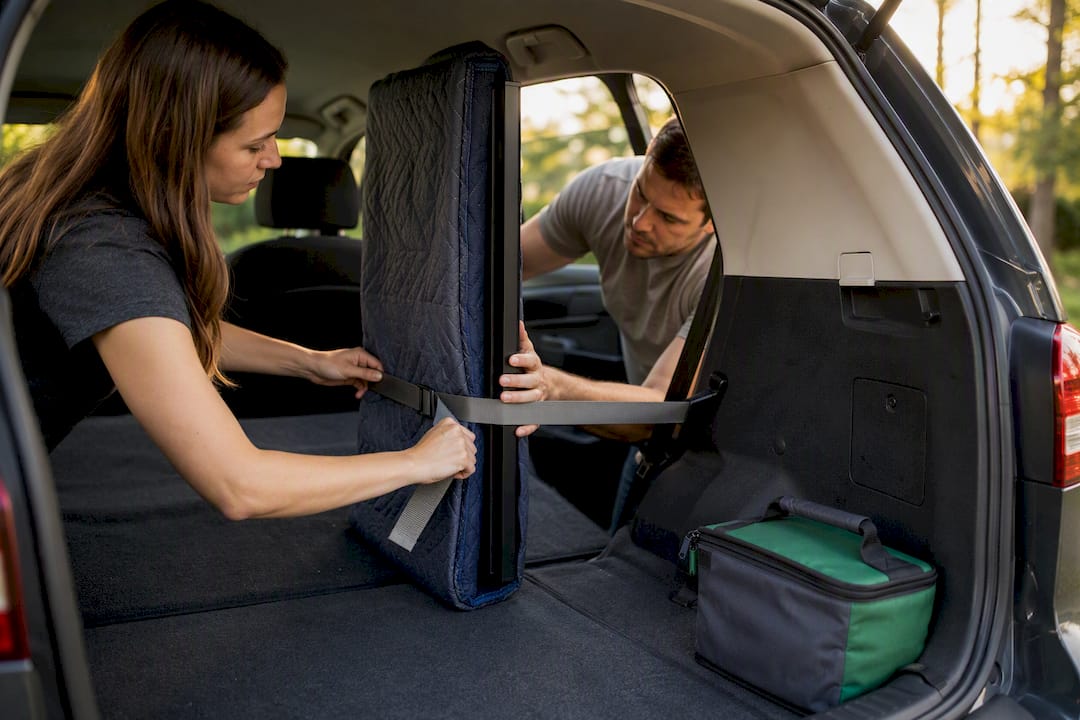
Remove the stand before the drive if it's detachable. This lowers the profile, reduces stress on the base mount, and makes the TV easier to brace. Keep the remote, power cable, and any accessories in a separate bag so nothing gets left behind or lost in transit.
For anything larger than 55 inches, a second person to help lift and steady the TV is worth arranging ahead of time. Dropping or twisting a large panel during a solo carry is one of the more common ways a perfectly good used TV becomes a cracked one before it ever reaches the living room.
Marketplace Perspective: Why In-Person Testing Still Wins
We've watched enough local transactions play out to say this plainly: the buyers who get burned are almost always the ones who skipped the live test to save five minutes. A quick video call or an in-store demo catches backlight bleed, dead HDMI ports, and burn in that photos simply can't show. A seller-rating system and in-app chat exist because those two signals, reputation and direct verification, do more to prevent a bad purchase than any amount of haggling over price. Trust the test, not the listing photos.
— Marketplace
Find Verified Local TV Listings on MarketplaceAnywhere
Some marketplace apps offer features beyond random classifieds posts: seller ratings built from transaction history, in-app chat to request a test video before you leave home, and location-based search that surfaces listings close enough for same-day pickup.
Between verified profiles and secured in-app payment options, you get a clearer read on who you're dealing with before you agree to meet. That doesn't replace testing the TV yourself in person, and it shouldn't. But it stacks the odds in your favor before you even leave the house. Browse local TV listings on Marketplaceapp now and message a seller for a quick test video before you commit to a meetup.