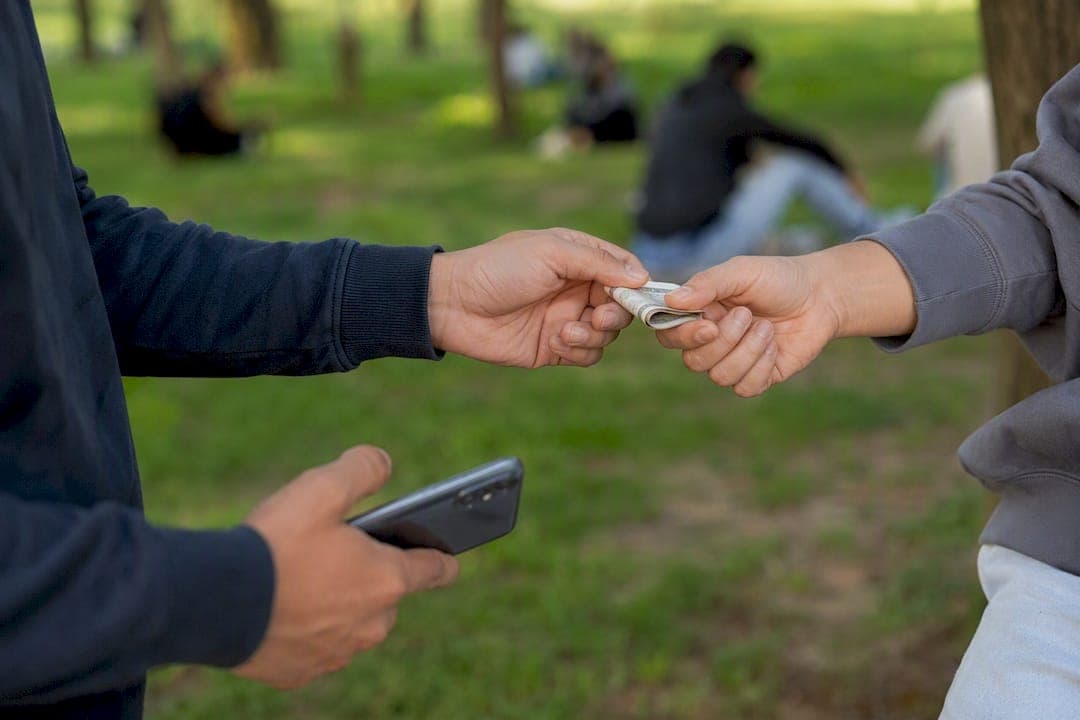
The fastest way to turn old electronics into cash without shipping headaches is a peer-to-peer local marketplace like MarketplaceAnywhere, which balances speed, payout, and buyer safety better than most single-purpose alternatives. If you need cash today, an in-store buyback counter or trade-in kiosk closes the deal in minutes, though usually at a lower price. If convenience matters more than maximizing every dollar, a mail-in buyback service or local pawn shop takes the device off your hands with almost no listing work.
Here's the quick breakdown:
- MarketplaceAnywhere (peer-to-peer local): Best all-around balance of speed, price, and safety when you meet in a verified public spot and follow a proper data-wipe routine.
- In-store buyback or trade-in counter: Fastest cash, often same visit, but typically pays less than a private local sale.
- Kiosk or mail-in buyback program: Lowest effort, no meetup required, but the slowest payout and usually the smallest check.
Each method trades something for something else. The rest of this guide breaks down exactly what.
Table of Contents
- How Do Local Selling Methods for Electronics Compare?
- What Should You Do Before Meeting a Buyer?
- How Much Should You Charge for Your Device Locally?
- How Do You Stay Safe Meeting Local Buyers?
- Should You Sell Fast or Hold Out for a Better Price?
- How Do You Write a Listing That Actually Sells?
- What Legal Issues Should You Know Before Selling Locally?
- How Do You Handle Negotiations and Close the Sale?
- What Do Buyers Usually Ask About During a Local Sale?
- What Kinds of Electronics Sell Best Locally?
- Why Try MarketplaceAnywhere for Selling Electronics Locally?
- Sources
How Do Local Selling Methods for Electronics Compare?
Four channels dominate local electronics sales: peer-to-peer marketplaces, in-store buyback or trade-in counters, retail kiosks, and pawn or consignment shops. Each one solves a different problem, and picking the wrong one for your situation is the single most common reason sellers leave money on the table or wait longer than they need to.
Peer-to-peer local marketplaces connect you directly with a buyer in your area through listings, chat, and in-person handoff. You set the price, negotiate directly, and typically get paid in cash or a verified instant transfer at the meetup. Editorial roundups consistently rank these platforms highest on payout because there's no middleman taking a cut, but they demand more effort: photos, a written listing, message screening, and a scheduled meetup.
In-store buyback and trade-in counters work the opposite way. You walk in, a staffer inspects the device, and you get an on-the-spot cash offer after a live evaluation, often within minutes. Some chains even accept broken or non-functional devices, since they use standardized testing to price condition tiers rather than relying on your description. The tradeoff is payout. These buyers need margin to resell or refurbish, so offers usually land well below what a private local buyer would pay.
Kiosks split the difference in a different way: no human interaction, quick machine-based valuation, and instant payout for a narrower set of eligible devices (mostly phones). Pawn and consignment shops sit at the slow end. Pawn gives you instant cash but at pawn-shop margins, while consignment can net more money over time since the shop lists it for you, but you wait for it to actually sell.
| Method | Typical Payout | Time to Cash | Fees/Cuts | Effort Required | Risk & Protection | Payment Method |
|---|---|---|---|---|---|---|
| Peer-to-peer local (MarketplaceAnywhere) | Highest, closest to market value | Same day to a few days | Platform fee on completed sale | Moderate: photos, listing, messaging, meetup | Moderate; mitigated by public meetups and verified ratings | Cash or verified transfer |
| In-store buyback/trade-in | Below market, condition-based | Instant, same visit | Built into the offer | Low: walk-in, evaluation, done | Low; regulated storefront, no meetup risk | Cash or store credit |
| Kiosk | Lowest of instant options | Instant | Built into the offer | Very low | Low; automated, no negotiation | Cash or gift card |
| Pawn shop | Low, loan-style pricing | Instant | Interest if pawned instead of sold | Low | Low; regulated business | Cash |
| Consignment | Potentially highest | Days to weeks | Consignment percentage | Low, but no control over timing | Low; shop handles the sale | Bank transfer or check |
If you need money today and don't care about squeezing out every last dollar, the in-store counter or kiosk wins. If you want the best return and can spare a few days for a listing and a meetup, peer-to-peer local is the stronger move. Pawn only makes sense when you need cash in the next hour and plan to redeem the item later; consignment fits when you're not in a rush at all.
What Should You Do Before Meeting a Buyer?
Wipe the device and gather your paperwork before you ever schedule a meetup. Skipping this step is the single biggest reason local sales fall apart at the last minute, because a buyer who spots leftover personal data, an active iCloud lock, or a missing charger will usually walk. Forbes reporting on secondhand device sales notes that failing to properly erase personal data isn't just a privacy risk to you, it actively kills deals, since cautious buyers won't take on a device they can't verify is clean.
Here's the sequence that works for the three most common device types:
- Back up everything first. Use your device's native cloud backup or a physical transfer to a computer, confirm the backup completed, then move on.
- Sign out of every account. Apple ID, Google account, Samsung account, and any DRM-linked software (Adobe, Microsoft 365, game launchers) need to be logged out individually, or the new owner gets locked out.
- Run a factory reset. On phones and tablets, use the built-in "erase all content and settings" option. On laptops, use the OS reset tool and select the option that wipes the drive rather than just reinstalling apps. MarketplaceAnywhere's factory reset walkthrough covers the exact menu paths for the most common phone and laptop models.
- Remove SIM cards, memory cards, and cases. Check every port and slot; sellers regularly forget SD cards.
- Physically clean the device. A microfiber cloth and 70% isopropyl alcohol on screens and ports makes a real difference in first impressions.
Your data-wipe checklist, condensed:
- Backup confirmed complete
- All accounts signed out (Apple ID, Google, Microsoft, game platforms)
- Factory reset performed, not just an app-level "clear data"
- SIM and memory cards removed
- Original box, charger, and cables located
- Proof of purchase or original receipt on hand if available
Pro Tip: Record a 30-second video showing the device powering on, the screen responding to touch, and any ports working. Send it to interested buyers before the meetup. It answers half their questions before they even ask and dramatically cuts down on no-shows.
How Much Should You Charge for Your Device Locally?
Check three or four comparable local listings for your exact model and condition before you set a price, then adjust up or down based on how fast you want to sell. Guessing a number based on what you paid or what a friend sold theirs for years ago is how sellers end up either overpriced and ignored or underpriced and shortchanged.
The process is straightforward:
- Identify the exact model, storage size, and carrier lock status. A "128GB unlocked" phone and a "128GB carrier locked" phone of the same model can differ by a meaningful margin.
- Pull three to five recent local listings for that same configuration and note the asking prices, not just the first one you see.
- Adjust for condition. Scratched screens, battery health below 85%, or missing original accessories should shave a noticeable percentage off the top comparable price.
- Add a negotiation buffer. List roughly 10% above your real floor so you have room to accept a lower offer without feeling burned.
Here's a worked example: say comparable local listings for your laptop model in good condition run in the $450 to $500 range. Your unit has a small scuff on the lid and no original box, so you drop to the lower end, around $430.
Market data on selling channels suggests local marketplace sales typically return a majority to close to full market value depending on the device and method, while national listings can push closer to full value but take longer to close.
| Selling Channel | Typical Return vs. Market Value | Typical Speed |
|---|---|---|
| Local peer-to-peer marketplace | a majority to close to full market value | Same day to a few days |
| In-store buyback | Lower than local P2P, condition-based | Instant |
| National online listing | Highest, closest to full value | One to several weeks |
For timing your listing to catch the most local demand, MarketplaceAnywhere's timing guide breaks down which days and seasons pull the most local buyer traffic.
How Do You Stay Safe Meeting Local Buyers?
Always verify payment before the device leaves your hands, and meet only in public, well-lit, monitored locations. A surprising number of scams don't involve fake buyers at all. They involve real buyers who try to inspect the device, walk off "to grab cash from the car," and never come back. Safety guidance for local electronics sales points specifically to police station parking lots and bank lobbies as ideal meetup spots, since both are monitored and neutral.
Your safety checklist for any local handoff:
- Meet at a police station parking lot, bank lobby, or busy retail entrance, never a private residence on the first meeting.
- Bring a friend if possible, or at minimum tell someone your meeting time and location.
- Confirm payment (cash counted in front of you, or a verified instant transfer that's actually landed, not just "sent") before handing over the device.
- Ask for a first name and a phone number before confirming the meetup; refuse buyers who won't provide either.
- Never ship a device to a "local" buyer who suddenly claims they can't make it in person. That request alone is a major red flag.
- Decline any buyer who asks you to meet somewhere isolated, after dark, or insists you come to them.
A few sample lines to vet buyers before you agree to meet: "I only do in-person cash deals, meeting at [public location]. Does that work for you?" or "I'll bring the device fully charged so you can test everything before paying." Buyers who push back hard on public meetups or payment-before-handoff terms are telling you something important.
Pro Tip: If a buyer insists on a mobile payment app instead of cash, wait for the "funds available" confirmation in your account, not just a payment notification on your phone. Screenshots and pending transfers can be faked or reversed.
Should You Sell Fast or Hold Out for a Better Price?
If you need cash today, sell through an in-store buyback counter or list on a local marketplace with a firm, slightly-below-comparable "pick up today" price. If you want the highest possible return, list nationally with detailed photos and be willing to wait one to several weeks for the right buyer.
Tactics for a fast sale:
- Price at or just under the lowest comparable local listing you found.
- Add "cash only, pickup today" to the headline so serious buyers self-select.
- Accept the first reasonable offer instead of holding out for a better one.
- Use an in-store buyback counter if you genuinely need money within the hour.
Tactics for maximizing price:
- Write a detailed, honest condition description and include close-up photos of any flaws.
- List on a broader, potentially national platform in addition to your local marketplace.
- Be patient enough to let multiple interested buyers compete, even informally.
- Time the listing around new product launches, when older models sometimes see a temporary demand bump for budget buyers.
| Priority | Typical Payout | Time to Cash | Effort | Risk |
|---|---|---|---|---|
| Sell fast | Lower, often below top comparable | Hours to same day | Low | Low, quick in-store or firm-price deal |
| Maximize price | Higher, closer to top comparable or above | Days to weeks | Higher, more photos and negotiation | Slightly higher, more back-and-forth with buyers |
Neither approach is wrong. It depends on whether the $50 to $100 difference matters more to you than getting the cash today.
How Do You Write a Listing That Actually Sells?
Photograph the serial number or model tag, all four sides of the device, the screen powered on, every included accessory, and any existing damage in clear, well-lit shots. Buyers judge trustworthiness by photo quality before they read a single word of your description.
A listing template you can copy:
- Headline: Model name, storage or spec, condition in one word (e.g., "iPhone 13, 128GB, Excellent Condition, Unlocked").
- Description: Two or three sentences on why you're selling, how it was used, and current condition.
- Included items: Original box, charger, cables, case.
- Price rationale: One line, e.g., "Priced below comparable local listings for a quick sale this week."
Sample buyer messages to reuse:
- Scheduling: "I'm available this evening or tomorrow after 5pm at [public location]. Which works better?"
- Accepting an offer: "That works. I'll have it fully charged and ready to demo when we meet."
- Confirming payment: "Once I've counted the cash / confirmed the transfer landed, I'll hand it over. Sound good?"
MarketplaceAnywhere's local-first app comparisons walk through additional listing formats if you're selling across multiple categories.
What Legal Issues Should You Know Before Selling Locally?
Selling a personal device you own outright is generally legal everywhere without a license, but a few details still matter. Any manufacturer warranty typically does not transfer automatically to a new private owner, so tell buyers upfront whether the warranty is still active and how to check its status with the manufacturer directly. Trade-in or carrier financing agreements are a separate issue: if you're still making payments on a phone through a carrier plan, selling it before it's paid off can violate that agreement, and some devices remain carrier-locked or IMEI-blacklisted until the balance clears.
Returns generally don't apply to private local sales the way they do with retail purchases, since there's no store return policy involved. That's why an honest, detailed condition description matters, both ethically and to avoid disputes after the sale. If a buyer discovers a defect you didn't disclose, you may face a request for a partial refund, even without a formal contract, simply based on basic consumer expectations of honest dealing.
As for taxes, occasional personal sales of used items you already own typically aren't taxable income in most jurisdictions, since you're usually selling below what you originally paid. If you're regularly buying and reselling electronics for profit, that activity can shift into taxable business income depending on your local tax rules, so check your specific jurisdiction's threshold rather than assuming casual-seller status applies indefinitely.
How Do You Handle Negotiations and Close the Sale?
Set your real floor price before you post the listing, then let the first serious offer anchor the conversation instead of a vague "make an offer" post. Buyers respond better to a firm number they can negotiate against than to ambiguity, and it filters out lowball messages before they waste your time.
When an offer comes in below your asking price, counter once with a specific number rather than restating your original price. If someone offers $350 on a $450 listing, come back with something like $410, not a flat refusal. That single counter usually settles the deal within one or two more messages.
At the meetup itself, let the buyer test the device fully before any money changes hands: power it on, check the screen, test the camera, confirm it connects to Wi-Fi. This isn't just good faith, it prevents the awkward "it doesn't work" message an hour after they've left. Once they're satisfied, confirm payment in full, whether that's counting cash or watching a transfer land in your account, before you hand over the device and any accessories.
Keep the exchange brief and businesslike. A quick "thanks, hope it works out well for you" closes the interaction cleanly and, on platforms like MarketplaceAnywhere, sets up a mutual rating that builds your reputation for the next sale.
What Do Buyers Usually Ask About During a Local Sale?
Buyers ask the same handful of questions in nearly every local electronics transaction, and having answers ready speeds up the whole process. Battery health comes up constantly on phones and laptops. Pull the number from your device's settings menu before listing, and put it directly in your description rather than making the buyer ask.
Screen and body condition questions usually mean the buyer wants reassurance about hidden damage. Photograph any scratches or dents honestly upfront so this doesn't turn into a negotiation point during the meetup. Carrier lock status is a frequent question for phones specifically. Check your device's settings or contact your carrier to confirm it's unlocked before you list it as such, since selling a locked phone as unlocked is a fast way to lose a sale on the spot.
Buyers also ask whether the device is still under warranty and whether it's linked to any account (iCloud, Google, Samsung) that could lock them out after purchase. Confirm you've fully signed out of every account before the meetup, not just logged out of the app. Finally, expect questions about original accessories: charger, cable, box, and any included cases or protective gear. Listing exactly what's included, and what isn't, prevents a last-minute price renegotiation standing in a parking lot.
What Kinds of Electronics Sell Best Locally?
Phones sell the fastest of any electronics category locally, thanks to consistent demand and a wide pool of buyers ranging from teenagers to parents needing a backup device. Laptops follow closely, especially mid-range and gaming models, though older or heavily used laptops move slower than phones do.
Game consoles hold value surprisingly well locally, particularly around new console launch windows when older generation prices dip and budget-conscious buyers scoop them up. Accessories, controllers, chargers, cases, and headphones move fast too, often as quick, low-friction add-on sales bundled with a larger device.
Tablets sit in a slower middle ground: solid demand exists, but the buyer pool is narrower than phones. Smartwatches and fitness trackers can sell locally but usually at lower price points, since resale demand for last generation's model tends to be soft. Across every category, working condition sells fastest, but even broken or partially functional devices find buyers through storefronts and buyback counters that use standardized testing to evaluate and price condition tiers other private buyers might reject outright.
Why Try MarketplaceAnywhere for Selling Electronics Locally?
MarketplaceAnywhere gives you the two things a private local sale needs most that a buyback counter can't: a real shot at market-value pricing and buyer accountability built into the platform, not just a handshake in a parking lot.
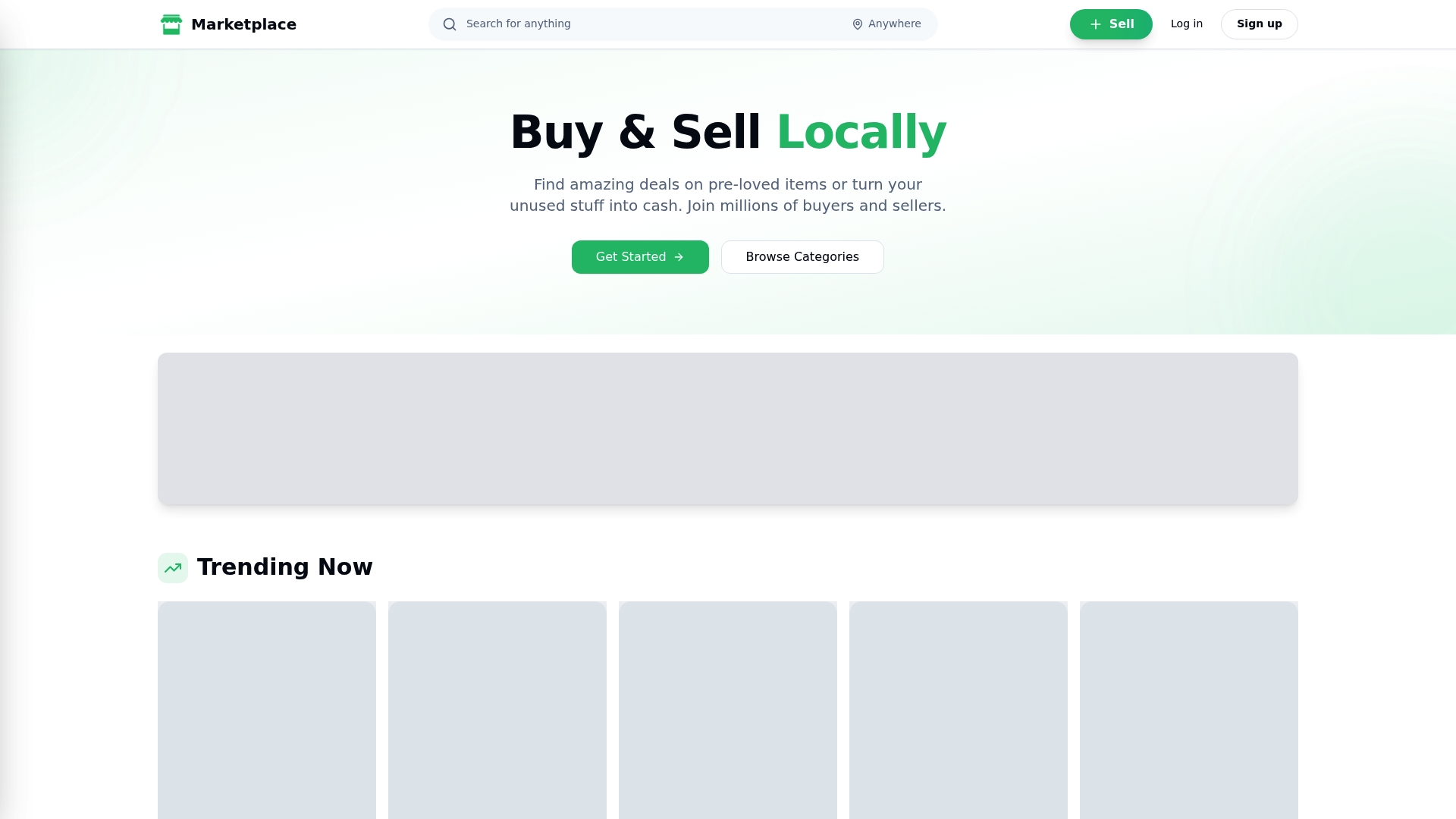
Every listing uses location-based search, so your phone, laptop, or console shows up to buyers actually nearby, not scattered across a national feed where shipping becomes a factor. In-app chat keeps your phone number private until you're ready to share it, and verified seller ratings mean buyers can see your track record before they ever message you, which cuts down on tire-kickers and no-shows. Instant push notifications flag a new offer or message the second it comes in, so a serious buyer doesn't slip away while you're not checking the app.
You control the price, the meeting spot, and whether you accept cash or a verified in-app payment at handoff. If you're ready to stop guessing at classified sites and start reaching buyers who are actually local, create your listing on MarketplaceAnywhere and lock in your asking price before your first meetup.
A Note From Marketplace
Safe local commerce starts with the basics: a clean data wipe, a public meetup, and payment verified before the handoff. We built MarketplaceAnywhere's chat, ratings, and location tools around exactly those habits, because the sellers who follow them close deals faster and with fewer headaches.
Selling locally works best when you match your device to a public marketplace, wipe your data completely, and verify payment before handoff, which together determine whether the sale closes safely and at a fair price.
| Point | Details |
|---|---|
| Wipe data first | Back up, sign out of every account, and factory reset before listing, since leftover data kills sales. |
| Match method to your priority | Use peer-to-peer local for the best payout, in-store buyback for instant cash. |
| Price from real comparables | Check three to five recent local listings for your exact model before setting your ask. |
| Meet in public, verify payment | Use monitored locations like bank lobbies or police station lots and confirm funds before handoff. |
| List on MarketplaceAnywhere | Location-based listings, verified ratings, and in-app chat give local sellers speed with buyer accountability. |
Sources
- Forbes
- CNET — Best places to sell electronics
- Sell Electronics Guide 2026 - Maximum Value + Data Security
- How It Works | Get Instant Cash for Electronics in 3 Steps | Sell Your Gadgets
- How to Sell Electronics Online Fast for Cash: Complete 2026 Guide