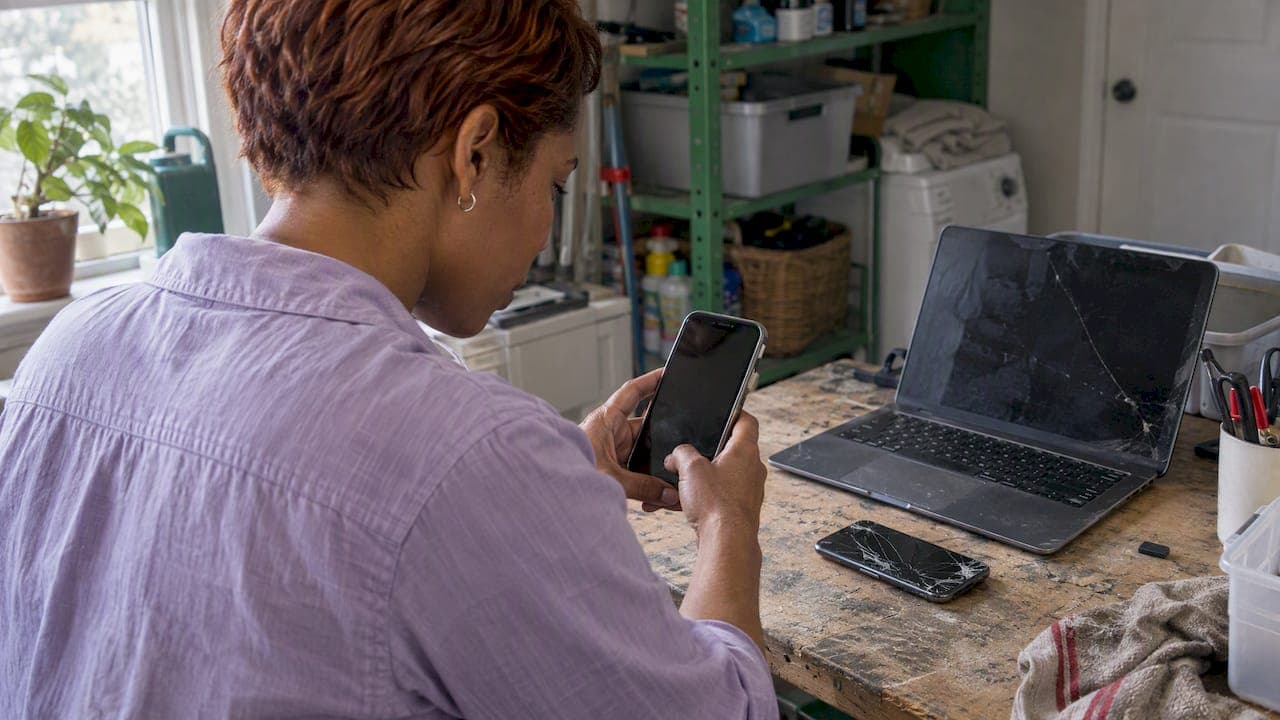
Yes, you can sell broken electronics, and a surprising amount of it still has buyers. A laptop that will not boot, a phone with a cracked screen or a console that lost its disc drive all attract local repairers, hobbyists and people who want parts. What decides the price is the make and model, what exactly is wrong, and how honestly you describe it. This guide walks through each step, from deciding whether a device is worth selling to handing it over safely.
TL;DR
- Broken does not mean worthless. Buyers pay for repairable devices and for working parts, especially from popular brands.
- Price from what the same model sells for in working order, then subtract repair cost and a discount for the buyer's risk and effort.
- Be blunt in the listing: name the fault, show every crack, say what still works, and label it "for parts or repair".
- Wipe or remove your data first. A device that will not turn on can still hold readable data.
- Swollen or damaged batteries are a fire risk. Do not ship or sell them casually, and recycle what cannot be sold.
Table of Contents
- Can you sell broken electronics, and what makes them worth something?
- Decide first: sell whole, sell for parts, or recycle
- How to price a damaged laptop, cracked phone or dead gadget
- Write a listing that earns trust
- Protect your data before you hand anything over
- Sell locally and safely
- What we think about selling broken electronics
- Ready to list? Start with the electronics category
- What to do with electronics nobody will buy
- Common mistakes that cost sellers money
- FAQ
- Sources
Can you sell broken electronics, and what makes them worth something?
You can. Plenty of people look specifically for non-working gear: independent repair shops, tinkerers who enjoy fixing things, and buyers who need one part to rescue their own device. Your job is to find the person for whom your problem is a small one.
Four things set the value:
- Brand and model. Premium and widely used models keep value when broken, because many people need their screens, boards, cameras and chargers. An obscure no-name tablet has a much smaller pool of buyers.
- The fault. A cracked screen on a phone that otherwise works is a different product from a laptop with a dead motherboard. Faults with cheap, well-known fixes (battery, charging port, screen) sell best.
- Age. A recent model is worth repairing. A ten-year-old one often is not, unless it is sought after for parts or nostalgia.
- Completeness. Original charger, box, screws, no missing back cover and no signs of liquid damage all help. Water damage is the hardest fault to sell, because corrosion can keep spreading and buyers know it.
Research on repair and refurbishment points the same way: a product that fails as a whole can still contain reusable components, but profit depends on judging condition, brand and age before anyone spends time on disassembly, since testing and handling costs can wipe out the resale value. Industry guidance on electronics reuse likewise treats whole units and individual components as separate questions, each judged on its physical condition, whether it works and what it is worth.
In plain terms: if a working version of your device still sells for a decent price, the broken one almost certainly has a buyer.
Decide first: sell whole, sell for parts, or recycle
Before you list, sort the device into one of three groups.
| Situation | Best route | Why |
|---|---|---|
| Powers on, one clear fault (cracked screen, weak battery, sticky buttons) | Sell whole, as a repair or "works with flaws" item | Easiest sale and the highest price, since the buyer gets a nearly complete device |
| Will not power on, popular model | Sell whole as "for parts or repair", or part it out if you are comfortable with tools | Repairers value the board, screen and case even when the device is dead |
| Old, heavily damaged, missing pieces, swollen battery | Recycle through a certified channel | Handling and shipping risk is higher than any money you would make |
Should you part it out?
Parting out can bring more than selling the whole thing, but it has real costs. You need to identify what is reusable, take the device apart without destroying the good bits, test what you pulled, clean it and then write and photograph several separate listings. For most casual sellers that is hours of work for a modest gain.
A practical rule: part out only if you already own the right small screwdrivers, the model is popular, and the individual parts (screen assembly, camera module, RAM, SSD, charger) are clearly worth more than the whole device would fetch. Otherwise sell it whole and let the buyer do the work. One exception that costs you nothing: if a laptop's storage drive and memory are standard parts, you can sometimes sell the laptop without them, but only if you say so in the listing. Wiping the drive first is a safer approach, covered below.
Avoid pulling out or cutting into batteries. Lithium batteries should not be opened, and a damaged one is a hazard in your home before it is a product.
How to price a damaged laptop, cracked phone or dead gadget
The pricing method most experienced resellers use is simple. Start with what the same model sells for when it works, then subtract the repair cost and a discount for risk.
Price = working price − repair cost (parts and labor) − risk discount
The risk discount is what buyers sometimes call a trouble premium: compensation for the time spent diagnosing the device, ordering parts, and the chance that the repair uncovers a second, hidden fault. The more uncertain the diagnosis, the bigger the discount.
A worked example
These numbers are an illustration of the method, not a market quote. Say a phone in good condition sells locally for about $300 and a replacement screen with labor would cost about $120. If the phone otherwise works, a fair asking price might sit around $120 to $150, since you are leaving the buyer some margin for their time. If you do not know whether the phone still works because the screen is too damaged to see, the risk discount grows and a lower ask is realistic.

For a laptop that will not boot, the gap is wider. If you do not know whether the fault is the charger, the battery, the RAM or the board, a buyer has to assume the worst. A laptop with a known cheap fault (it works on a charger but the battery is dead) deserves a much higher price than one with an unknown fault.
Check real prices, not hopes
Search for your exact model number, not just the brand, and look at what broken versions have actually sold for, not what sellers are asking. Our guide to how to price used items so they actually sell and our breakdown of where you will get the most cash for used electronics cover the comparison method in more detail.
Two pricing tactics help on a local marketplace:
- Leave a little room. Local buyers like to negotiate, especially for broken items. Set your ask about 10 to 15 percent above your real floor.
- Price parts devices clearly. If the device is only good for parts, say so in the title and price it accordingly. A buyer who feels misled by the price will walk away or ask for a refund.
Write a listing that earns trust
With broken items, honesty is the sales technique. Buyers have been burned by vague "not working" ads, so the seller who explains the fault gets the messages.
Title
Put the model, the problem and the sale type up front: "Laptop, 15-inch, model number, won't power on, for parts or repair." Include storage size and color for phones, because buyers search with them.
Description
Include, in this order:
- Exact model and specs (processor, memory, storage, screen size, year).
- What is wrong, in plain words. "Screen cracked in the bottom right corner; touch still works across the whole display."
- What still works. Test it and list it: charging, speakers, cameras, buttons, Wi-Fi, ports.
- What is missing or what you tried (new charger tested, battery swapped, no liquid exposure).
- What is included: charger, case, box.
- Terms: sold as is, local pickup, cash or in-app payment, no returns.
Say "I do not know" where you do not. That sentence costs nothing and protects you from later disputes. For wording and structure, see our listing description tips that actually sell items.
Photos
Shoot in daylight against a plain surface. Take the whole device, each damaged area close up, the screen both on (if it turns on) and off, the ports, the serial or model label, and anything included in the sale. Show every crack, dent and scuff. Buyers trust sellers who show damage and ask fewer questions, so you save time.
Category
Place the listing in the right category so repair-minded buyers find it. Putting a broken laptop into a generic category buries it. Our note on categorizing listings correctly explains why this matters.
Protect your data before you hand anything over
This is the step people skip, and it is the one that can hurt you. A device you consider dead may still contain photos, saved passwords, messages and logged-in accounts.
The UK data protection regulator warns that a device which will not turn on may still hold accessible data, and that how reliable a factory reset is depends on how the manufacturer built it. The UK National Cyber Security Centre's advice for selling secondhand gear is to back up what you want, confirm you can access your accounts and two-factor authentication, then erase everything, while noting that specialist tools may still recover data from some devices. These are UK sources, but the logic holds anywhere.
If the device still turns on
- Back up photos, contacts and files.
- Sign out of your Apple, Google, Microsoft and any other accounts, and turn off any anti-theft lock such as Find My, so the next owner can use it.
- Remove the SIM and memory cards.
- Run the erase-all or factory reset option.
Our step-by-step factory reset guide before selling covers the phone details.
If the device will not turn on
You cannot run a reset, so reduce the risk another way:
- Take out the storage. In many laptops and desktops the drive can be removed. Keep it, or physically destroy it, and sell the device without it. Say so in the listing.
- Remove SIM and memory cards from phones and tablets.
- Sign out remotely. Use your account's device management page to remove the device from your account and, where offered, erase it remotely the next time it connects.
- Change important passwords if you cannot confirm the device is wiped.
Phones and tablets with soldered storage cannot have the drive removed. If the device holds sensitive information and you cannot wipe it, recycling it through a trusted program may be the safer choice than selling it.
Sell locally and safely
Broken electronics are a natural fit for local selling. They are heavy or fragile to ship, buyers want to inspect them, and shipping damaged lithium batteries brings its own rules and risks. On Marketplaceapp, you can list in the electronics category, add photos of the damage, chat with interested buyers and meet nearby, so the deal ends with a handshake and not a parcel dispute.
Meeting the buyer
- Meet in a public, well-lit place, ideally with cameras. Many people choose a coffee shop or the lobby of a police station.
- Bring a charger so you can show what works.
- Let the buyer inspect the device and confirm that what they see matches your description.
- Do not feel pressured to lower the price once the buyer arrives and finds exactly what you described. A last-minute haggle is a common tactic.
- Keep your messages in the app so there is a record of what you promised.
For more, see our guide to selling electronics locally for quick cash and safe sales, and if you sell consoles or discs, selling video games locally.
Tips for buyers of broken devices
If you are on the other side, shopping for a project device or spare parts:
- Ask for the model number and check that the part you need is compatible.
- Ask whether the device has ever been opened or exposed to liquid.
- Check the battery for swelling or a bulging back cover. Walk away from a swollen battery.
- Test what you can on the spot. Our guide to testing used electronics before you pay and the checklist for testing a used laptop give you a short routine.
- Check that the device is not locked to someone else's account, which can make a device worthless.
What we think about selling broken electronics
Most sellers either throw broken devices in a drawer for years or list them with a vague line and then get frustrated by lowball offers. We see a better outcome when sellers treat the fault as information, not a flaw to hide. A buyer who reads exactly what is wrong, sees every crack in the photos and knows what still works replies faster, haggles less and shows up.
We built our marketplace around local deals because broken electronics are where local selling shines: the buyer can look at the item, you do not box and ship something fragile, and payment and seller ratings give both sides some confidence. Our advice is to spend ten minutes on the listing, price from the working model's value, and be patient. The right buyer, a person who fixes phones as a hobby or needs your exact screen, is usually within a short drive.
— Marketplace
Ready to list? Start with the electronics category
If you have a cracked phone, a tired laptop or a console that stopped reading discs, you can post it in minutes on Marketplaceapp, where electronics are one of several categories alongside home and garden, hobbies and more. Add your photos, describe the fault honestly and let nearby buyers reach you through the in-app chat.
What to do with electronics nobody will buy
Some devices are not worth selling, and some should not be sold at all.
Damaged batteries
Damaged lithium batteries can release harmful gases or catch fire, and Germany's federal materials institute advises against opening them. The same source says a battery should be repaired only by an authorized dealer, and that a rebuilt battery with other cells is no longer safety-tested, so transporting it is no longer legally permitted. In practice: do not sell, ship or hand over a phone or laptop with a swollen, hot or leaking battery. If you notice swelling, stop charging it, keep it on a non-flammable surface away from anything combustible, and arrange recycling.

Recycle through the right channel
In the United States, the EPA says lithium-ion batteries and devices containing them should not go in household garbage or recycling bins. It recommends taking them to separate recycling or household hazardous waste collection points, and taping battery terminals or bagging batteries separately to prevent fires. Your city or county waste department will list drop-off locations and collection days, since rules vary by state and municipality. Outside the US, check your own national or local scheme.
Before you drop off a device, wipe it or remove the storage, as described above.
Common mistakes that cost sellers money
- Calling it "broken" and nothing else. Buyers assume the worst and offer the lowest price.
- Hiding damage in the photos. It leads to wasted trips and arguments at the meeting.
- Pricing from the working model's price. A broken phone at 90 percent of the working price gets no messages.
- Forgetting account locks. A device still tied to your account is nearly unsellable and leaves your data exposed.
- Meeting at home. Choose a public place.
- Selling a device with a bad battery. It is a safety issue for you and the buyer.
FAQ
Can I sell a laptop that will not turn on?
Yes. List it as for parts or repair, state the model and specs, describe what you tried (a different charger, for instance) and show every angle in the photos. Remove or wipe the storage drive first. Laptops from popular brands with intact screens, keyboards and cases tend to find buyers among repairers.
How much is a cracked-screen phone worth?
Start from the price of the same model working, then subtract the cost of a replacement screen and some margin for the buyer's trouble. If the phone otherwise works and you can show it, you can ask more. Check what the same model has sold for locally, not just what sellers ask.
Should I fix it before selling?
Only if the repair is cheap and the resulting resale price is clearly higher than the repair cost plus the fix. For many devices, selling as is to someone who can repair it cheaply leaves you with more profit and less hassle.
How do I wipe a device that will not power on?
You cannot run a factory reset, so remove the storage drive if you can, take out SIM and memory cards, and remove the device from your online accounts. If the storage is soldered in and the device holds sensitive data, recycling it is safer than selling it.
Is it safe to sell a device with a swollen battery?
No. A swollen or damaged lithium battery can overheat or ignite. Stop using and charging the device and take it to a battery or electronics recycling point instead of listing it.
Sources
- Deleting your data from computers, laptops and other devices (ICO)
- Buying, selling and donating second-hand devices (NCSC)
- Taking stock for repair and refurbishing: a review (Journal of Industrial Ecology)
- Clarification on Appendix E applicability (SERI)
- Sicherer Umgang mit Lithium-Batterien (BAM)
- Used Lithium-Ion Batteries (US EPA)